
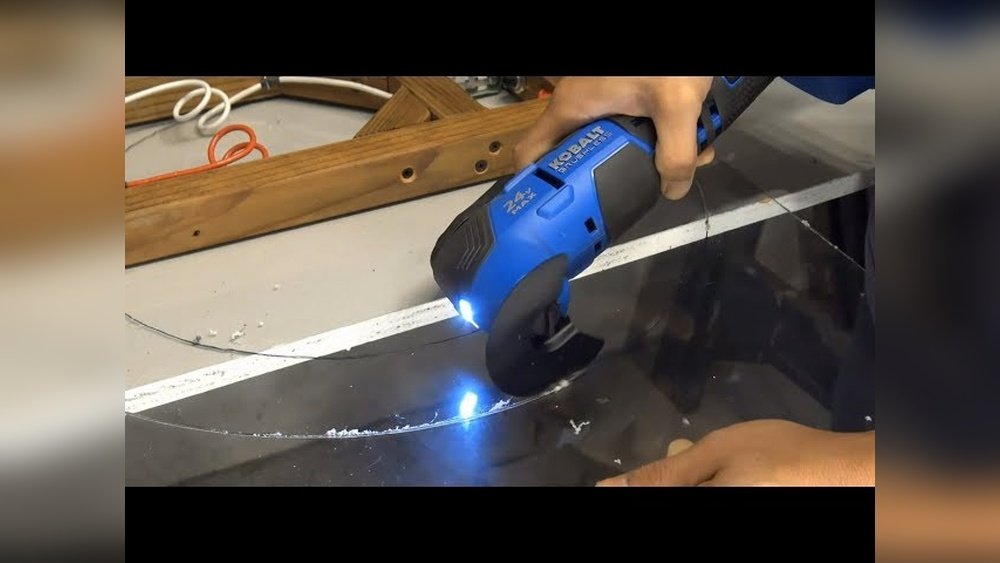
Cutting acrylic with a Dremel can feel intimidating at first. I remember the first time I tried it—I was nervous about cracking the sheet or ruining my project. But once I learned the right steps and tricks, it became easy and even a bit fun.
If you want clean, safe, and accurate cuts in acrylic, I’ll walk you through everything I’ve learned. I’ll also share mistakes I made, and how you can avoid them. By the end, you’ll feel confident about using your Dremel for acrylic projects, whether it’s for crafts, DIY repairs, or art.
Why Use A Dremel To Cut Acrylic?
I had a few options when I wanted to cut acrylic: a hand saw, a scoring knife, or a power tool. I chose a Dremel rotary tool because it’s small, versatile, and easy to control. It makes detailed cuts possible, even in tight spaces. With the right bit, you get smooth edges and less chance of cracking compared to larger saws. I also like how Dremel tools don’t throw up as much dust or debris as some other tools.
Tools And Materials You’ll Need
Before you start, gather everything. Skipping this step once cost me time searching for safety glasses mid-cut!
- Dremel rotary tool (any model with variable speed works)
- Cutting bit (I use the EZ456 for straight cuts, or the 561 for small, detailed work)
- Acrylic sheet (also called plexiglass or Perspex)
- Clamps to hold the acrylic steady
- Safety glasses and a dust mask
- Ruler or measuring tape
- Marker for marking your cut lines
- Masking tape (to prevent chipping)
- Work surface (flat and stable)
- Fine sandpaper or a file (for smoothing edges)
When I started, I didn’t always use clamps. Once, my acrylic slipped and the cut went off track. Trust me, clamps are your friend.

Choosing The Right Dremel Bit For Acrylic
Not all Dremel bits work for acrylic. I learned this the hard way when I used a regular metal cutting wheel and it melted the edges. Here’s what I recommend:
| Dremel Bit | Type of Cut | Pros | Cons |
|---|---|---|---|
| EZ456 Cutting Wheel | Straight lines | Fast, clean, less melting | Not for tight curves |
| 561 Multipurpose Bit | Curves & shapes | Versatile, detailed | Can wander if too fast |
| SC456 Reinforced Wheel | Thicker acrylic | Strong, durable | More dust, needs steady hand |
Most of the time, I stick with the EZ456 for straight lines and switch to the 561 for curves or holes. The reinforced wheel is great for thicker sheets, but it’s a bit trickier to control.
Preparing The Acrylic Sheet
Preparation makes a big difference. The first time I cut acrylic, I skipped some steps and ended up with chipped edges. Now, I always do this:
- Mark your cut line: Use a ruler and marker for clear, straight lines.
- Apply masking tape: Place tape along the cut line on both sides. This helps prevent chipping and cracking.
- Clamp the acrylic: Secure it to your workbench so it won’t move. Leave the part you want to cut hanging over the edge.
- Wear safety gear: Put on your safety glasses and dust mask before you even plug in your Dremel.
One trick I learned: if your acrylic has a protective film, leave it on until you finish cutting. It adds extra protection from scratches and cracks.
Setting Up The Dremel
Setting up your Dremel is simple, but you want to get it right. Here’s what I do:
- Choose the right bit and attach it securely.
- Set the speed: For acrylic, I found that medium speed (15,000 to 20,000 RPM) works best. Too fast, and the acrylic melts; too slow, and the cut isn’t smooth.
- Test on scrap: If you have leftover acrylic, make a test cut first. This helps you get a feel for the tool.
A non-obvious tip: Let the Dremel bit reach full speed before touching the acrylic. This gives a cleaner start to your cut.
Step-by-step: How To Cut Acrylic With A Dremel
When I first started, I made mistakes like pressing too hard or rushing the process. Here’s the step-by-step method that works for me:
- Line up your Dremel with your marked line. Hold the tool like a pen—steady, but not too tight.
- Start the cut: Bring the spinning bit gently to the acrylic. Let the tool do the work; don’t force it.
- Move slowly: Guide the Dremel along the line at a steady speed. If you go too fast, you risk melting the acrylic or making jagged edges.
- Watch for melting: If you see the acrylic turning white or gooey, stop and let it cool for a moment.
- Finish the cut: When you reach the end, lift the Dremel away carefully. Don’t yank it out.
- Smooth the edge: Use fine sandpaper or a file to smooth rough edges. This step makes your finished piece look professional.
| Step | What to Watch For | Common Mistakes |
|---|---|---|
| Line Up | Stay on the marked line | Misaligned start |
| Start Cut | Let bit reach full speed | Touching acrylic too soon |
| Move Slowly | Even speed, little pressure | Forcing tool, rushing |
| Smooth Edge | Use fine sandpaper | Skipping this step |
One thing I didn’t expect: sometimes, tiny melted “strings” form along the cut. I let them cool, then brush them off with my finger or a soft cloth. Don’t try to pull them while they’re hot.
Cutting Curves And Shapes
Straight cuts are easy, but curves need patience. I use the 561 bit for this. Here’s what I’ve learned:
- Go slower than with straight cuts. The bit can slip if you rush.
- Make relief cuts: For tight curves, I make small cuts from the edge toward the line. This lets the waste piece break away in sections and stops the bit from binding.
- Practice on scrap: Before tackling your real project, practice a few curves. Each time you do it, you’ll get better.
Once, I tried to cut a tight circle in one pass and snapped the acrylic. Now, I always take my time and use relief cuts for tricky shapes.
Avoiding Common Mistakes
Here are some mistakes I made, and how you can avoid them:
- Using too much pressure: Let the tool do the work. If you push hard, the acrylic can crack or melt.
- Wrong speed: High speeds cause melting, low speeds can make the cut jagged. Stick to the middle.
- No masking tape: Skipping tape can cause ugly chips. Always tape along your cut line.
- Not clamping the sheet: If the acrylic moves, your cut will be crooked. Use two clamps for best results.
- Cutting too fast: Patience pays off. Move the tool slowly for clean edges.
A non-obvious insight: If you need to cut a large sheet, don’t try to do it all in one pass. Make several shallow passes, letting the bit cool between cuts. This reduces heat buildup and helps prevent cracking.

Cleaning Up The Edges
After cutting, you’ll see rough spots or sharp edges. I used to ignore them, but they can cause cracks later or cut your fingers. Here’s what I do:
- Sand with fine sandpaper: 220 to 400 grit works best. Move in small circles.
- Use a file for tight spots: A small needle file helps with corners or curves.
- Polish if needed: If you want a glossy edge, use a plastic polish or a polishing wheel on the Dremel.
Once, I tried using coarse sandpaper. It scratched the acrylic. Stick to fine grits for a smooth, clear edge.
Comparing Dremel Vs. Other Tools For Acrylic
When I started with acrylic, I tested a few tools. Here’s how they compare:
| Tool | Ease of Use | Cut Quality | Best For |
|---|---|---|---|
| Dremel Rotary Tool | Easy | Smooth, precise | Detailed cuts, curves |
| Hand Saw | Medium | Rough, may chip | Straight lines, thick sheets |
| Scoring Knife | Easy | Clean edge if done right | Thin sheets, straight lines |
| Jigsaw | Hard | Can melt or crack | Large pieces, quick cuts |
I keep coming back to the Dremel because it’s reliable, especially for projects where appearance matters.
Safety Tips For Cutting Acrylic With A Dremel
Acrylic dust and small chips can be sharp. I learned to follow these safety steps every time:
- Always wear safety glasses. Even a small chip can hurt your eyes.
- Use a dust mask. Acrylic dust isn’t good for your lungs.
- Work in a well-ventilated area. Melting acrylic can give off fumes.
- Keep your hands away from the cutting wheel.
- Unplug the Dremel before changing bits.
One more tip: keep pets and kids away while you work. The bits spin fast and can be dangerous.
Projects Where Dremel-cut Acrylic Shines
I’ve used my Dremel-cut acrylic for all sorts of projects:
- Display cases for collectibles
- Aquarium covers
- Replacement windows for small greenhouses
- Custom signs and crafts
- Protective covers for electronics
The clean edges and precise cuts make a big difference. People often ask how I get such neat results—they’re surprised when I say I use a Dremel.
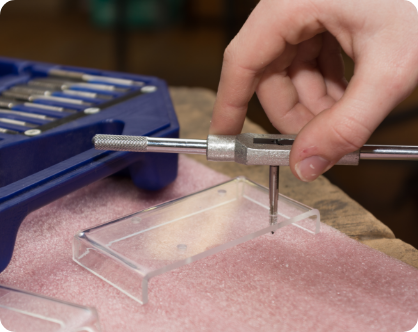
When Not To Use A Dremel For Acrylic
Sometimes, a Dremel isn’t the best choice. I avoid using it for:
- Very thick acrylic (over 1/2 inch): It takes too long and heats up too much. A table saw or jigsaw is better.
- Very large sheets: It’s hard to get a straight line on big pieces. A scoring knife or circular saw works better.
- Outdoor cutting: Wind can blow dust everywhere and mess up your line.
If you’re unsure, test your setup on a scrap piece first. That’s saved me from ruining full-size sheets more than once.
Frequently Asked Questions
What Dremel Bit Is Best For Cutting Acrylic?
I usually use the EZ456 cutting wheel for straight cuts. For curves or shapes, the 561 multipurpose bit works well. Both bits give clean results if you use the right speed and don’t push too hard.
Why Does My Acrylic Melt When I Cut It With A Dremel?
Melting happens if the Dremel spins too fast or you push too hard. Try lowering the speed and taking lighter passes. Let the tool cool off if you see the edges getting gooey.
Can I Cut Thick Acrylic With A Dremel?
You can, but it takes time and patience. For sheets thicker than 1/2 inch, I recommend using a saw designed for plastics. The Dremel is better for thin to medium acrylic.
Do I Need To Sand The Edges After Cutting?
Yes, sanding helps prevent cracks and gives a smooth finish. I use fine sandpaper, and sometimes polish the edge for a clear look.
Are There Any Special Safety Steps I Should Follow?
Always wear safety glasses and a dust mask. Work in a ventilated space, and keep your hands clear of the spinning bit. If you need more safety info, check the guide from OSHA.
Cutting acrylic with a Dremel became a regular part of my projects once I learned the right way. It’s quick, clean, and easy with a little practice. I hope my tips and experiences help you avoid the bumps I hit early on.
Give it a try—after a few cuts, you’ll wonder why you ever worried about cutting acrylic at all.
As an Amazon Associate, We earn from qualifying purchases