
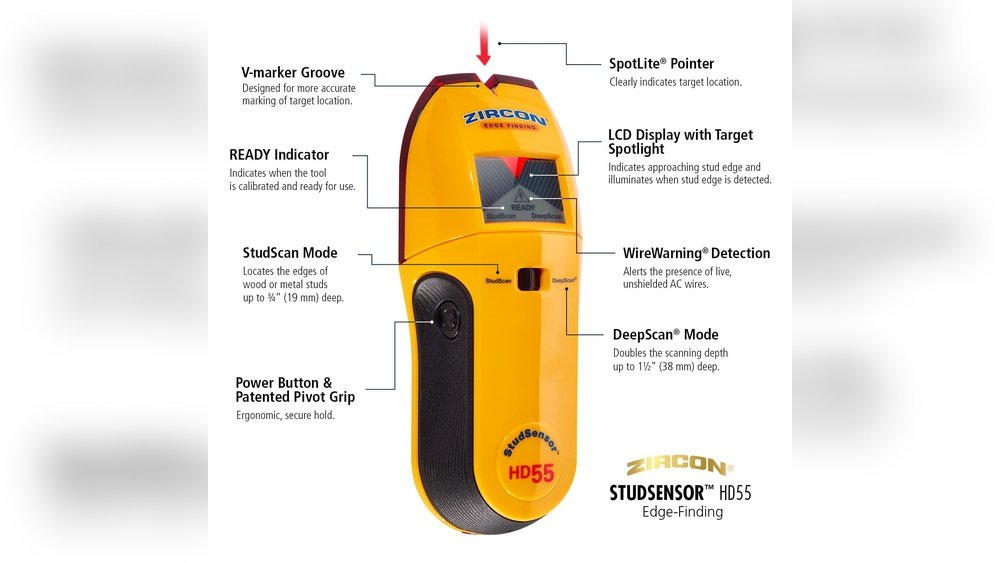
If you’ve ever tried to hang a shelf or mount a TV, you know the feeling. You tap the wall, you knock, and you hope you find a stud. I was the same—frustrated with endless guessing and patching mistakes. That’s why I bought my first Zircon stud finder. If you’re thinking about using one, or maybe you just opened the box and have no clue where to begin, you’re in the right place. I’ll walk you through everything I’ve learned, step by step, so you can use your Zircon stud finder with total confidence.
Why Use A Zircon Stud Finder?
Before I got my Zircon, I tried old tricks—like using a magnet or knocking on the wall. Sometimes I’d get lucky. Often, I’d end up with holes in the wrong place. Zircon stud finders changed that for me. These tools use sensors to detect changes in your wall, making it much easier to find the solid wood or metal behind the drywall. This means less guesswork, fewer mistakes, and safer mounting for heavy things.
Types Of Zircon Stud Finders
When I first shopped for a stud finder, I noticed that not all models are the same. Here’s a quick comparison I wish I had seen:
| Model Type | Key Features | Best For |
|---|---|---|
| Basic Edge Finders | Finds the edge of studs | Simple jobs, light items |
| Center Finders | Shows exact center of stud | TVs, shelves, heavy mounts |
| Multi-Scanner Models | Detects studs, metal, live wires | Older homes, complex walls |
I started with a basic model, but quickly upgraded to a center finder. For most jobs, I recommend at least a center-finding Zircon. If you have older walls or worry about hitting wires, a multi-scanner is worth it.

Getting Ready: What You Need
Before you start, gather these items. This prep saves a lot of back-and-forth.
- Your Zircon stud finder
- Fresh batteries (most need a 9V or AA)
- Painter’s tape or a pencil (for marking)
- A step stool if working high up
- Clean, dry hands
A quick tip: Always check the battery first. Low power can give false readings. I learned this the hard way after chasing “phantom studs” for half an hour.
How To Use A Zircon Stud Finder: My Step-by-step Process
I remember my first time—it took longer than I expected. But once I followed these steps, things got much easier.
1. Insert The Batteries
Open the battery cover on the back. Insert the battery, matching the + and – signs. Some models beep when they power up. If not, look for a test button.
2. Get To Know The Controls
Spend a minute reading the manual. On my model, there’s a “power” button and a “scan” button. Some have a mode switch for “stud,” “metal,” or “AC wire. ” Learn what each button does before you start.
3. Prep The Wall Surface
Wipe the wall with a cloth. Paint splatters or heavy texture can throw off the sensor. For tricky spots, I sometimes put a thin piece of paper between the wall and the tool to help it slide.
4. Calibrate The Stud Finder
This is key. Place the stud finder flat against the wall, a few inches from where you want to scan. Hold the scan button down. Wait for the light or beep that says “Ready. ” Calibration takes a second or two.
If you start over a stud, the device might show an error. Move a bit left or right and try again.
5. Start Scanning The Wall
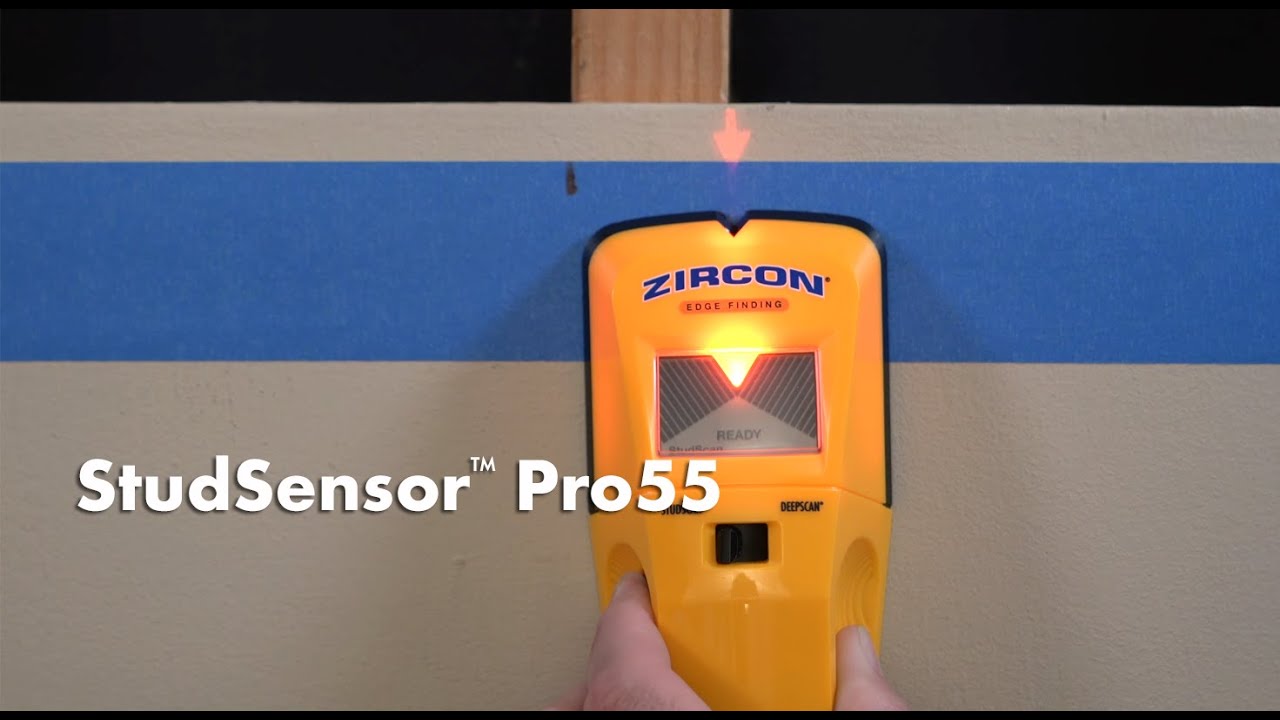
With the scan button held down, move the stud finder slowly across the wall. Don’t rush—too fast and you’ll miss the signal. Most Zircon models use lights or an arrow to show when you’re getting close.
6. Mark The Stud Location
When the light or beep signals the edge or center, stop. Use a pencil or a small piece of tape to mark the spot. For center finders, the tool will tell you when you’re right in the middle of the stud.
I like to mark both edges, then measure the center.
7. Double-check By Scanning Again
I always scan the same area two or three times. Move a few inches up or down and scan again. If you get the same spot every time, you can trust it. If not, recalibrate and try again.
8. Look Out For Electrical Wires Or Metal
Many Zircon models have a “wire warning” or “metal” mode. Use these to avoid drilling into live wires or pipes. I once skipped this step—and drilled right into a wire. Never again! Always check, especially in kitchens, bathrooms, or older homes.

Common Problems And How I Fixed Them
Even with a good stud finder, things can go wrong. Here’s what I’ve learned from my own mistakes.
False Positives
Sometimes the tool beeps, but there’s no stud. This happened to me when I scanned over a wall with thick plaster. Moisture, metal mesh, or wallpaper can confuse the sensor. Try scanning from another angle or use a different mode.
No Signal At All
If the stud finder never beeps, check the battery. Also, make sure you’re not starting over a stud. Heavy wallpaper can block the sensor, too. In old houses, some walls have lath and plaster instead of drywall. In these cases, a higher-end multi-scanner works better.
Studs Seem Too Close Or Far Apart
Standard studs are 16 or 24 inches apart. If your marks don’t match this, scan a larger area. Once, my marks were only 8 inches apart—turns out I was hitting a pipe and a stud. If you’re not sure, use a thin nail to test in an out-of-the-way spot.
My Top Tips For Accurate Results
After many projects, I have a few tips that always help:
- Scan slowly—faster movement leads to errors.
- Double-check with two or more passes.
- Mark both edges and measure the center.
- If you hit a wire warning, do not drill!
- Use light pencil marks, so they erase easily.
Real-life Example: Mounting My Living Room Tv
When I mounted my TV, I needed to find two studs exactly 16 inches apart. I scanned the wall, marked the edges, and then used a measuring tape to confirm. My Zircon gave me a wire warning near one stud—so I moved over a few inches and scanned again.
I’m glad I did. The second spot was clear, and now my TV feels rock solid.
Comparison: Zircon Stud Finder Vs. Old School Methods
If you’re still on the fence, here’s how using a Zircon compares to the old “knock and guess” approach:
| Method | Accuracy | Speed | Risk of Mistake |
|---|---|---|---|
| Knocking | Low | Medium | High |
| Magnet Test | Medium | Low | Medium |
| Zircon Stud Finder | High | High | Low |
Switching to a Zircon saved me time and cut down on wall repairs. I don’t miss the guesswork.
Understanding Different Wall Types
Not all walls are created equal. Here’s what I’ve learned about using a Zircon on different surfaces:
| Wall Type | Stud Finder Performance | Extra Steps |
|---|---|---|
| Drywall | Excellent | Standard use |
| Plaster | Fair | Scan slowly, check multiple times |
| Tile | Poor | Use a high-end multi-scanner |
| Textured Walls | Good | Wipe surface, move slowly |
If you have tile or thick plaster, invest in a higher-end Zircon. The basic models work best on drywall.
Maintenance And Storage Tips
After each use, I always:
- Wipe the tool with a dry cloth
- Remove the battery if I won’t use it for months
- Store it in a cool, dry place
This keeps the sensors working and stops battery leaks.
Two Insights Most People Miss
- Wall texture and paint can confuse sensors. I used to think my stud finder was broken until I realized thick paint or wallpaper can change results. Always scan slowly and calibrate often, especially in older homes.
- Studs are not always perfectly spaced. In real homes, especially older ones, studs can be off by an inch or more. Don’t trust the measuring tape alone—let the stud finder lead the way, and always double-check.
Safety Reminders
Please, never skip safety. If your stud finder warns of live wires, do not drill. If you’re not sure, turn off the breaker before starting. I’ve felt the jolt of hitting a wire once. It’s not worth the risk.
For more technical details and troubleshooting, the official Zircon website has a great resource at Zircon Support.
Frequently Asked Questions
How Do I Know If My Zircon Stud Finder Is Working Correctly?
Check for a ready light or beep after calibration. If you get strange readings, replace the battery and recalibrate. Test on a wall where you know the stud location to be sure.
Can I Use My Zircon Stud Finder On Plaster Walls?
Yes, but results may vary. Go slowly and scan a few times. For best results, use a multi-scanner model. On thick plaster, old lath, or tile, the basic models may not work well.
What Do The Different Lights Or Beeps Mean?
Each model is a little different, so read the manual. Usually, a steady light means you’re near a stud edge; a different color or a beep means you’ve hit the center. Some models also warn about live wires or metal.
What Should I Do If I Get A “wire Warning”?
Stop immediately. Do not drill. Try scanning again to confirm. If the warning stays, pick a new spot. Always respect wire warnings for your safety.
Do I Need To Mark Both Edges Of A Stud?
It’s a good idea. Marking both edges helps you find the true center, especially if you want to hang something heavy. I always mark both edges and the center to be sure.
Finding studs doesn’t have to be a guessing game. With a little practice and the right tool, you’ll get solid, accurate results every time. If you’re tired of patching extra holes, give a Zircon stud finder a try. I’m glad I did—my walls (and my nerves) have never been better.
As an Amazon Associate, We earn from qualifying purchases