
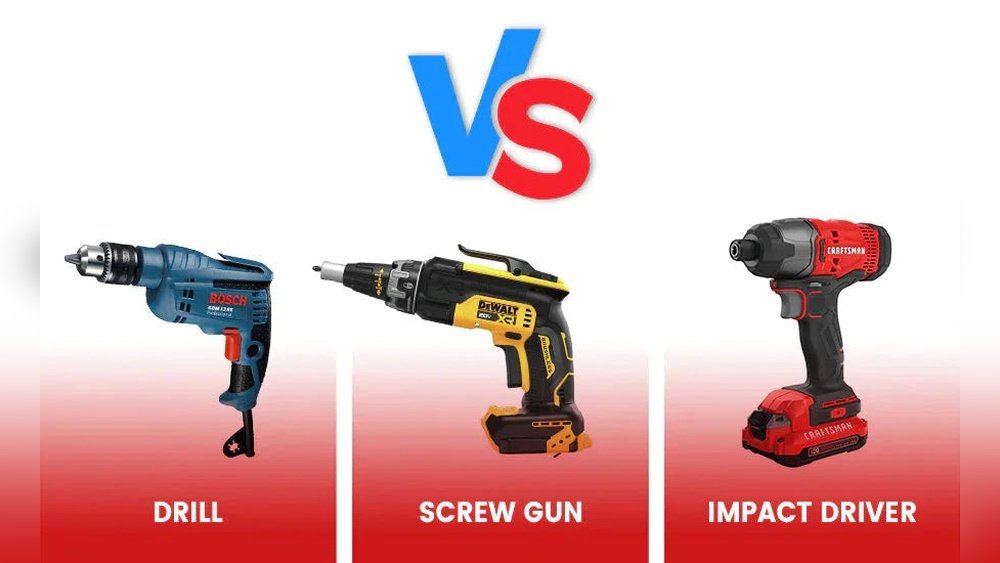
Drill Vs Screwdriver: Which Tool Should You Choose?
If you are starting a DIY project or doing home repairs, you may ask: Should I use a drill or a screwdriver? The answer depends on your task, skill, and budget. Both tools are common, but they have big differences. Many beginners buy the wrong tool and regret it. By understanding how a drill and a screwdriver work, you can save money and effort. This guide will explain their differences, uses, and help you make the right choice.
What Is A Drill?
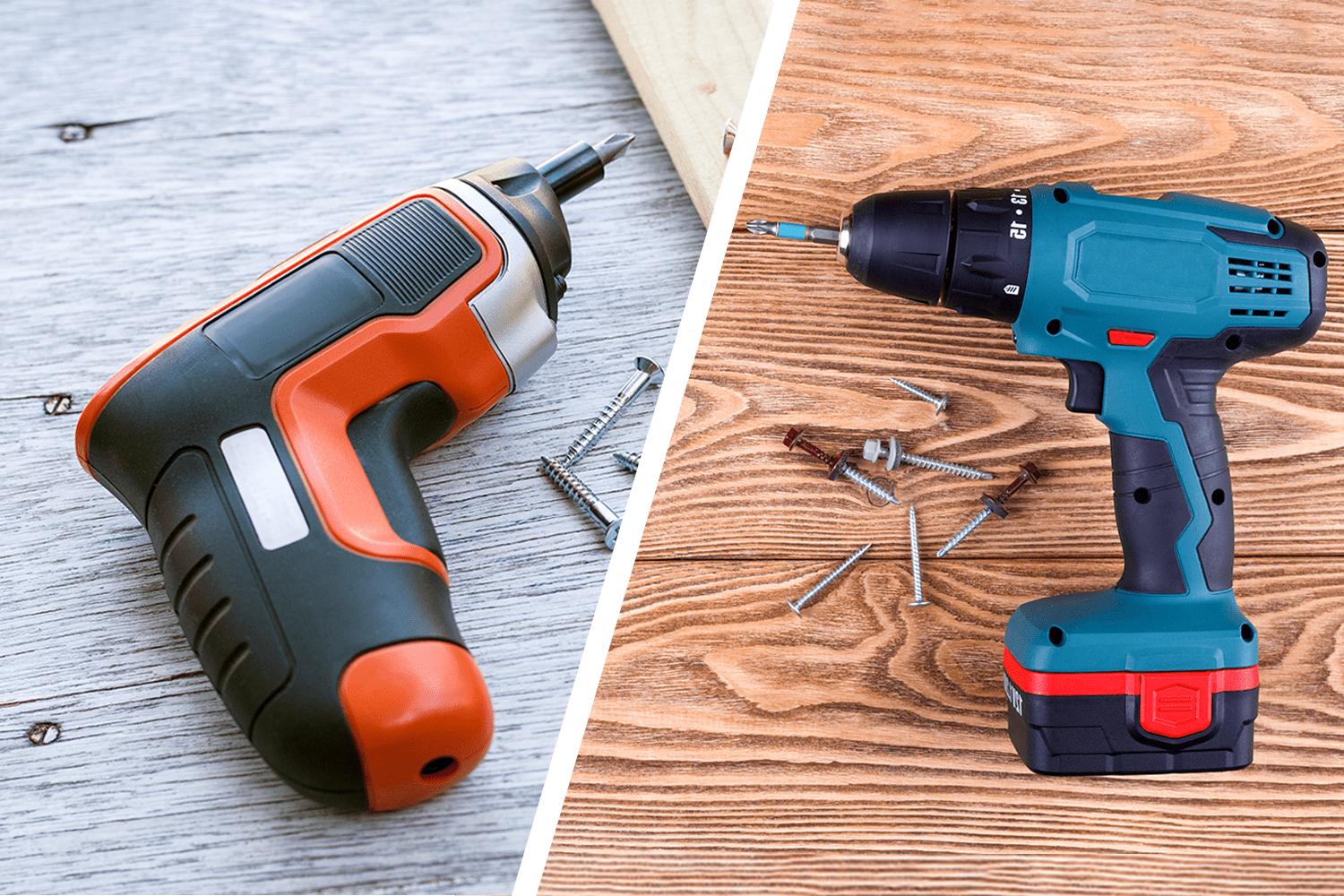
A drill is a powerful tool that rotates a bit. It is mainly used to make holes in materials like wood, metal, plastic, or masonry. Most drills also accept screwdriver bits, so they can drive screws too. However, their main job is drilling holes.
There are two main types of drills:
- Corded drills: These plug into an outlet. They offer constant power and are good for heavy-duty jobs.
- Cordless drills: These use batteries. They are more portable but may have less power and need to be charged.
Some drills have special features, such as a hammer function for concrete or adjustable speed. Drills come in many sizes, from small for delicate work to large for tough materials.
What Is A Screwdriver?
A screwdriver is a tool that drives or removes screws. There are two main types:
- Manual screwdriver: This is the classic hand tool, with a handle and a shaft ending in a tip. You turn it by hand.
- Powered screwdriver: Also called an electric screwdriver, it uses a motor to spin the bit. Most are cordless and smaller than drills.
Screwdrivers are simple and cheap. They do not drill holes; they only drive screws. Some electric models have adjustable torque settings to avoid damaging the material.
Key Differences Between Drill And Screwdriver
To make a good decision, you need to know how drills and screwdrivers differ. Here are the main points:
| Feature | Drill | Screwdriver |
|---|---|---|
| Primary Use | Drilling holes, driving screws | Driving/removing screws only |
| Power | High (corded or cordless) | Low to medium (mostly cordless) |
| Speed Range | Variable, often higher | Lower, more controlled |
| Size | Usually larger | Usually smaller |
| Weight | Heavier (especially with battery) | Lighter |
| Versatility | Multiple uses with different bits | Limited to screws |
| Cost | Usually more expensive | Usually cheaper |
When To Use A Drill
A drill is the right tool for you when:
- You need to make holes in wood, metal, or walls.
- You want to drive a lot of screws quickly, such as assembling furniture.
- You are working with tough materials and need more power.
Drills are also good if you plan to do many different types of jobs. With the right attachment, you can mix paint, sand wood, or even polish surfaces.
Example Tasks For A Drill
- Installing shelves on a wall
- Hanging curtains with anchors
- Building a wooden deck
- Making pilot holes for screws
One thing beginners often miss: Drilling a pilot hole before driving a screw reduces the chance of splitting the wood. This is much easier with a drill than with a manual screwdriver.

When To Use A Screwdriver
A screwdriver is best when:
- You need precision and control, such as working with electronics or small fixtures.
- The material is soft and does not require much force.
- You are assembling small items or making quick repairs.
Manual screwdrivers are simple and do not need batteries. Electric screwdrivers are good for many screws but not for making holes.
Example Tasks For A Screwdriver
- Tightening cabinet handles
- Fixing a loose hinge
- Opening battery covers on gadgets
- Assembling small toys
A common mistake: Many people use a drill for small screws and strip the head. A screwdriver’s lower speed and torque help prevent this problem.
Pros And Cons: Drill Vs Screwdriver
Both tools have benefits and drawbacks. Here is a quick summary:
| Tool | Pros | Cons |
|---|---|---|
| Drill | – Versatile – Powerful – Can drill holes and drive screws | – Heavier – More expensive – Can damage materials if not careful |
| Screwdriver | – Lightweight – Easy to use – Good for small, precise tasks | – Limited to screws – Not suitable for drilling holes – Less powerful |

Which Tool Is Right For You?
Choosing between a drill and a screwdriver depends on your needs. Here is how to decide:
Choose A Drill If…
- You do many DIY projects or home repairs.
- You need to make holes as well as drive screws.
- You want a tool that can handle hard materials.
- You do not mind a heavier, more expensive tool.
Choose A Screwdriver If…
- You only need to drive or remove screws.
- You want a lightweight, cheap tool for quick tasks.
- You work with electronics, crafts, or small items.
- You want more control and less risk of damage.
Pro Tip: If your budget allows, owning both is ideal. Use the drill for heavy work and the screwdriver for delicate jobs.
Cost Comparison
Tool prices vary based on brand, power, and features. Here is a rough idea:
- Manual screwdrivers: $2 – $15 each
- Electric screwdrivers: $15 – $50
- Cordless drills: $40 – $200 (with battery and charger)
- Corded drills: $30 – $150
Drills are an investment but last many years. Screwdrivers are cheap and easy to replace.
Safety Tips
Using any power tool can be risky if you are not careful. Follow these safety tips:
- Wear safety glasses when drilling, especially in wood or metal.
- Check the bit or tip is secure before starting.
- Do not force the tool; let the drill or screwdriver do the work.
- Keep hands clear of the bit area.
- Unplug or remove the battery before changing bits.
Many beginners skip safety and get hurt. Take your time and use the right tool for the job.
Advanced Features To Consider
Some tools offer advanced features. These are useful if you want more from your tool:
- Torque settings: Found on both drills and electric screwdrivers. Helps control how deep the screw goes.
- Variable speed: Lets you adjust speed for different materials.
- LED light: Helps see in dark areas.
- Quick-change bit holder: Makes swapping bits fast and easy.
Non-obvious insight: Many cordless drills have a clutch (torque control), which helps prevent over-tightening and stripping screws. Most beginners do not use this feature, but it can save you from damaging your workpiece.
Common Mistakes To Avoid
- Using a drill for everything: Drills are powerful but can damage delicate materials or strip small screws.
- Skipping pilot holes: Driving screws directly into hard wood without a pilot hole can split the material.
- Using the wrong bit: Always match the bit or tip to the screw head (Phillips, flat, Torx).
- Not checking battery levels: Cordless tools lose power when the battery is low, making work harder.
- Holding the tool wrong: Grip with your whole hand for better control.
Real-world Example
Imagine you are building a bookshelf. First, you use a drill to make holes for the screws. Then, you switch to a screwdriver (manual or electric) to tighten the screws gently, so you do not overdrive or strip the heads. This approach gives you both speed and control.
Environmental Impact
Electric power tools use batteries, which may need recycling. Some drills use lithium-ion batteries, which last longer but must be disposed of properly. Manual screwdrivers have almost no environmental impact. If you want to be eco-friendly, consider using rechargeable batteries or manual tools when possible.
Maintenance Tips
- Keep bits sharp for faster, cleaner work.
- Clean your tools after use, especially after working with wood or metal.
- Store in a dry place to avoid rust.
- Charge batteries fully before storing cordless tools.
A well-maintained tool lasts longer and is safer to use.
Summary Table: Drill Vs Screwdriver
Here is a quick reference:
| Task | Drill | Screwdriver |
|---|---|---|
| Making holes | ✔️ | ❌ |
| Driving large screws | ✔️ | ⚠️ (possible but slow) |
| Small, precise screws | ⚠️ (may strip screw) | ✔️ |
| Working with electronics | ❌ | ✔️ |
| Heavy-duty jobs | ✔️ | ❌ |
| Cost-effective | ❌ | ✔️ |
Where To Learn More
If you want to see the different types of drills and screwdrivers, the Wikipedia page on drills has detailed information and images.
Frequently Asked Questions
What Is The Main Difference Between A Drill And A Screwdriver?
A drill is designed to make holes and can also drive screws, while a screwdriver is mainly for driving or removing screws. Drills are more powerful and versatile; screwdrivers offer more control for smaller tasks.
Can I Use A Drill As A Screwdriver?
Yes, most drills can drive screws if you use the right bit. However, they are more powerful and can strip screws or damage material if you are not careful. Use a lower speed and adjust the clutch if possible.
Is A Manual Or Electric Screwdriver Better For Home Use?
For quick, simple jobs, a manual screwdriver is enough. If you have many screws to drive (like flat-pack furniture), an electric screwdriver can save time and effort.
How Long Do Cordless Drill Batteries Last?
Most lithium-ion batteries last 2–3 years with regular use. The run time per charge depends on the battery size and workload, usually from 30 minutes to 2 hours.
Do I Need Both A Drill And A Screwdriver?
If you do lots of DIY, owning both is ideal. Use the drill for making holes and the screwdriver for delicate assembly. For occasional light repairs, a screwdriver alone may be enough.
Choosing the right tool makes your work easier, safer, and more enjoyable. Whether you pick a drill, a screwdriver, or both, always match the tool to your task for the best results.
As an Amazon Associate, We earn from qualifying purchases