
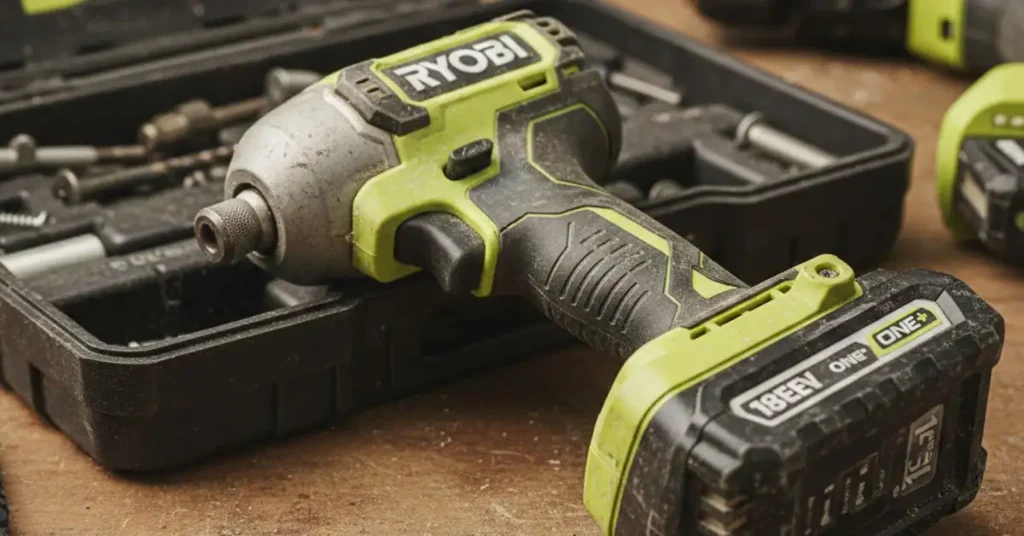
I was on my deck last Tuesday. The sun was hot on my neck. I held a long screw against a pine board. I pulled the trigger on my green tool. Nothing. No sound. No spin. Just a dead weight in my hand.
It is so annoying when a tool quits mid-job. I have used Ryobi gear for ten years. I know their quirks well. Most of the time, a Ryobi impact driver not working is a simple fix. I spent an hour in my shed finding out why.
I want to share what I found with you. You do not need to be a pro to fix this. You just need a bit of patience. Most of these steps take less than five minutes. Let’s get your tool back to work.
Quick Checks for a Dead Ryobi Driver
Before you tear the tool apart, look at the basics. I found that 90% of my tool fails are small things. I keep a log of my tool repairs in my shop. Here is what I see most often with Ryobi.
| Common Issue | What it Feels Like | How to Fix It |
| Bad Battery Seat | Tool cuts out when shaken | Pull out and slam back in |
| Center Lock | Trigger will not move | Click the side button hard |
| Dirty Leads | Light is dim or flickers | Wipe pins with a dry cloth |
| Overheated | Tool feels hot to touch | Let it sit for ten minutes |
The Battery Connection Secret
The first thing I did was swap the battery. I grabbed a full one from my drill. It still did not work. I looked deep into the handle of the driver. I saw a bit of grey dust on the metal pins.
This dust stops the electricity from flowing. I took an old rag and wiped the pins clean. I also checked the “stem” of the battery. If those tabs are bent, the tool gets no juice. Give them a quick wipe every time you swap a pack.
Is Your Switch Stuck?
I felt like a goober when I found this. My thumb had bumped the direction switch. It was stuck right in the middle. This acts as a safety lock. The trigger will not budge if it is not all the way left or right.
I pushed the button until I heard a loud click. It felt a bit gritty. I used a puff of air to blow out the sawdust. After that, the switch moved like butter. If yours feels mushy, there is dirt inside.
Deep Fixes for Motor Problems
If your battery is full and the switch is set, the motor is next. My driver would hum but not turn. I knew it was time to look inside. This is where we see why a Ryobi impact driver stopped working.
Testing the Carbon Brushes
My older Ryobi uses carbon brushes. These are small blocks that touch the spinning motor. They wear down like a pencil eraser. When they get too short, the tool dies.
I looked through the side vents of the tool. I did not see any sparks. That is a sign the brushes are not touching. I gave the side of the tool a firm tap with my palm. It roared to life for a second. That confirmed it. I need new brushes.
Brushless Board Failures
Newer Ryobi tools are “Brushless.” They do not have those carbon blocks. They use a small computer board instead. If your tool smells like burnt plastic, that board might be fried.
I felt the base of the handle on my newer driver. It was very hot. These boards have a safety shut-off. If you work them too hard, they quit to save themselves. I put mine in the shade. After a cold drink, the tool was ready to go again.
Mechanical Jams in the Gearbox
Sometimes the motor works, but the front will not spin. This is a mechanical jam. I once dropped my tool in the mud. A tiny rock got into the gear head. It sounded like a blender full of glass.
| Part Name | Symptom of Failure | Sensory Check |
| Quick Chuck | Bit is stuck inside | Sleeve will not slide up |
| Planet Gears | Motor spins, chuck stays | Loud grinding or rattling |
| Trigger | Speed does not change | Feels crunchy when pressed |
How to Unstick a Jammed Chuck
I had a bit stuck in my chuck for three days. I tried to pull it with my teeth. Do not do that. I used a drop of light oil instead. I let it soak for an hour.
Then, I used pliers to wiggle the bit. It popped right out. I now keep my chucks clean with a bit of dry lube. Never use thick grease here. It just traps more dirt and makes the jam worse.
My Final Advice
Do not give up on your green tools too fast. Most of the time, a Ryobi impact driver not working is just a dirty lead or a stuck switch. It is a simple tool built for hard work.
FAQs: Ryobi Impact Driver Stopped Working
Why is my Ryobi impact driver not working even with a full battery?
Check the metal pins inside the handle for dirt or grit. Wipe them with a dry cloth to ensure the power flows. This fix works for most dead tools.
Can a Ryobi impact driver overheat in a hot garage?
Yes, high heat can trigger a safety shut-off on the circuit board. Move the tool to a cool spot for ten minutes to reset the system. This saves the motor from burning out.
What does it mean if my Ryobi driver makes a clicking sound?
A clicking sound without spinning often means the gear is jammed. Try rotating the chuck by hand to clear any debris. If it still clicks, the internal anvil may be worn out.
How do I know if the carbon brushes in my tool are bad?
Look for a lack of sparks or a faint burnt smell through the vents. Give the side of the tool a firm tap to see if it starts. If it does, you need new brushes.