
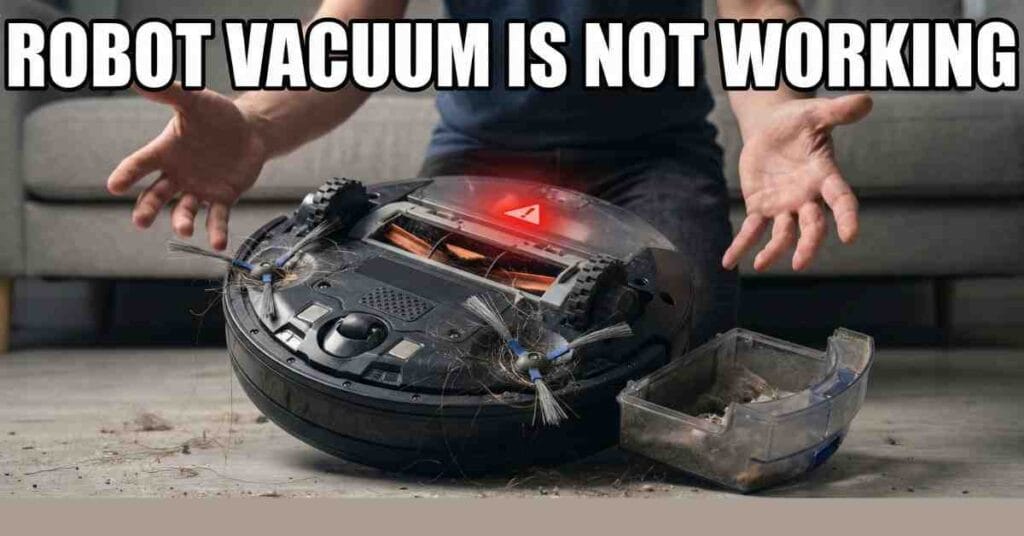
I love my robot vacuum. It saves me so much time. Last week, mine just stopped moving. I saw a red light. It felt like a bad day. My house was getting dusty. I knew I had to fix it fast.
I fix tools every day at ToolsEngineers . I sat on my floor to look at it. These machines are smart but simple. Most small issues are easy to fix. I found out why mine had quit. I want to share my tips with you.

Checking the Power First
When a robot vacuum is not working, check the plug. My kids had pulled the cord out. The dock was dark. If the dock has no light, the robot can’t charge. This is the first thing to look at.
I also looked at the metal pins. These pins are on the dock and the robot. They get dirty very fast. I wiped them with a dry cloth. They were gray and dull. Once they were shiny, the robot started to charge.
The Battery Health
Batteries can get old after two years. If your robot dies fast, the battery is tired. You can buy a new one online. It takes five minutes to swap it. I did this for my neighbor last month.
| Power Sign | What It Means | What to Do |
| No lights | No power at dock | Plug it in tight |
| Dirty pins | Poor contact | Wipe with a cloth |
| Short run | Weak battery | Get a new battery |
Why It Won’t Pick Up Dirt
Is your robot moving but leaving crumbs? This happened to me on Tuesday. I flipped my vacuum over. I saw a huge mess. A long string was stuck in the brush. The brush could not spin at all.
I used scissors to cut the hair away. You must clear the ends of the brush too. Dust hides in the small gaps. Once the brush was clean, it spun well. My rugs looked great again very soon.
Cleaning the Air Filter
The filter is the lungs of the robot. If it is full of dust, the air can’t move. I tap my filter on the trash can every day. If it looks dark, buy a new one. A clean filter makes the suction very strong.
I once thought my motor was broken. It was just a very dirty filter. I put in a new one. The vacuum sounded like new. It is a cheap fix that works wonders for your home.
Fixing the Circle Dance
Does your vacuum spin in a circle? This is a very common glitch. It means the robot is blind. It has small sensors on the bottom. These sensors tell it where the floor is.
I cleaned the glass sensors with a Q-tip. Dust makes the robot think it will fall. It spins to stay safe. I also tapped the front bumper. If it sticks, the robot thinks it hit a wall.
Navigation and Lenses
Some robots use a top camera to see. If a cat sits on it, the robot gets lost. I found a pet hair on my lens once. I wiped it off. The robot went back to work right away.
| Sensor Issue | Result | Easy Fix |
| Dusty glass | Spins in circles | Wipe with Q-tip |
| Stuck bumper | Backs up constantly | Tap the bumper |
| Lens smudges | Gets lost | Clean the top eye |
Tips for Your Brand
I have tested many brands like Roomba and Shark. They all have small quirks. My Shark once needed a hard reset. I flipped the power switch off and on. That fixed the app link in seconds.
Roombas use beep codes to talk to you. Two beeps mean the brush is stuck. My Dyson stops if the rug is too thick. I had to tell the app to skip that rug. Each brand has a secret fix.
Keeping Your Robot Happy
I treat my robot like a car. It needs a tune-up once a month. I blow out the dust with air. I check the side brushes too. If they are bent, they won’t clean well.
A happy robot means a clean floor. I am glad I fixed mine myself. It was much cheaper than buying a new one. You can do this too. Just follow these simple steps today.