
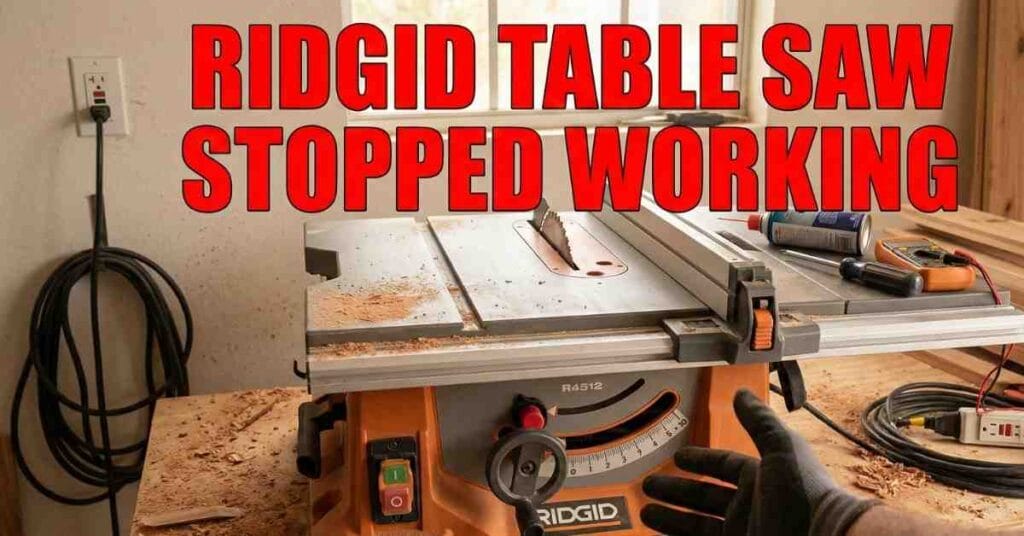
It was a hot Tuesday in my Florida workshop. I had a pile of cedar boards ready for a new project. I flipped the switch on my Ridgid table saw, but nothing happened. The motor did not roar to life. It stayed silent.
If your saw is not turning on, do not worry yet. I have been through this many times. Most of the time, the fix is quick and cheap. You can likely get your blade spinning again in just a few minutes of work.
Check Your Power Source First
Before you take anything apart, look at the wall outlet. I once spent a long time testing my saw only to find a loose cord. My dog had bumped into it while chasing a ball. It sounds silly, but it happens to all of us.
Make sure the plug is pushed all the way into the socket. If you use a power strip, check if it has a reset button. These small strips often trip if the saw pulls too much power during a heavy cut.
Check your GFCI outlets if you work in a garage. These outlets have a small button that pops out if there is a surge. If the button is out, your saw will not get any juice. Press it back in until it clicks.
The Secret Red Reset Button
Ridgid saws have a built-in safety part called a thermal overload switch. Its job is to stop the motor before it burns out. If you were cutting thick wood or using a dull blade, the motor might have gotten too hot.
I looked for the small red button on my saw. It is usually near the power cord or on the side of the motor. If it has popped out, the saw will not start. This is a very common reason for a dead saw.
| Tool Part | What to Check | Why it Fails |
| Reset Button | Red circular switch | Motor got too hot |
| Safety Key | Yellow plastic piece | It is loose or missing |
| Power Cord | Black thick cable | Frayed wires or no plug |
| Carbon Brushes | Small black blocks | They wore down too far |
Wait ten minutes for the motor to cool down before you press it. If you press it too soon, it will just pop back out. Once it stays in, try the power switch again. This fixed my saw on that humid Tuesday morning.
Dust Inside the Power Switch
The power switch on a table saw lives in a world of dust. Fine wood flour gets into every tiny crack. Over time, this dust can block the metal parts inside from touching each other.
I unplugged my saw and looked at the yellow safety key. It was covered in sticky sap. I used a can of compressed air to blow out the switch housing. A cloud of fine dust came flying out of the gap.
If the yellow key is not snapped in tight, the saw will stay off. Make sure it clicks when you push it in. If the switch feels soft or does not click, the spring inside might be broken. You can buy a new switch for a few dollars online.
Worn Out Carbon Brushes
If your saw makes a weird clicking sound before it dies, check the brushes. These are small blocks of carbon that feed power to the motor. They wear down like a pencil as you use the saw over the years.
I check my brushes once a year now to avoid surprises. To find them, look for two plastic screw caps on the sides of the motor. Unplug the saw and use a flat screwdriver to turn the caps until they come off.
- Pull the small spring and brush out of the hole.
- Look at the length of the black carbon block.
- If it is shorter than a quarter inch, it is time for a change.
- Replace both brushes at the same time for the best results.
New brushes make a huge difference in how the motor sounds. If the old ones look chipped or burned, that is why your saw stopped. Swapping them out is a five-minute job that saves the whole motor.
Testing the Start Capacitor
If you turn the saw on and hear a low hum, but the blade does not spin, the capacitor is likely bad. The capacitor acts like a small battery. It gives the motor a big push to get it moving from a stop.
In my Florida shop, the heat and humidity can make these parts fail faster. You will find the capacitor under a metal hump on the motor. If it looks swollen or has a leak, it needs to be replaced immediately.
| Symptom | Likely Problem | Best Fix |
| No sound at all | Tripped breaker | Reset the red button |
| Low humming sound | Bad capacitor | Swap the capacitor |
| Motor sparks a lot | Worn brushes | Install new brushes |
| Switch is stuck | Sawdust buildup | Blow out with air |
Be careful when touching a capacitor. They can hold a shock even when the saw is unplugged. If you are not sure how to test it, a local repair shop can check it for you very quickly.
Read More: Ridgid Table Saw Blade Will Not Raise
Keeping Your Saw Running Strong
A little bit of care goes a long way with Ridgid tools. I now blow out my motor with air after every big project. This keeps the dust from building up on the switch and the brushes.
If your saw still will not turn on after these steps, the motor itself might be broken. If you smell burnt wires, that is a bad sign. But usually, one of these simple fixes will get you back to your project.
Working with tools is all about solving problems. I felt great when my saw roared back to life after a quick reset. Take your time, stay safe, and you will be back to cutting wood in no time.