
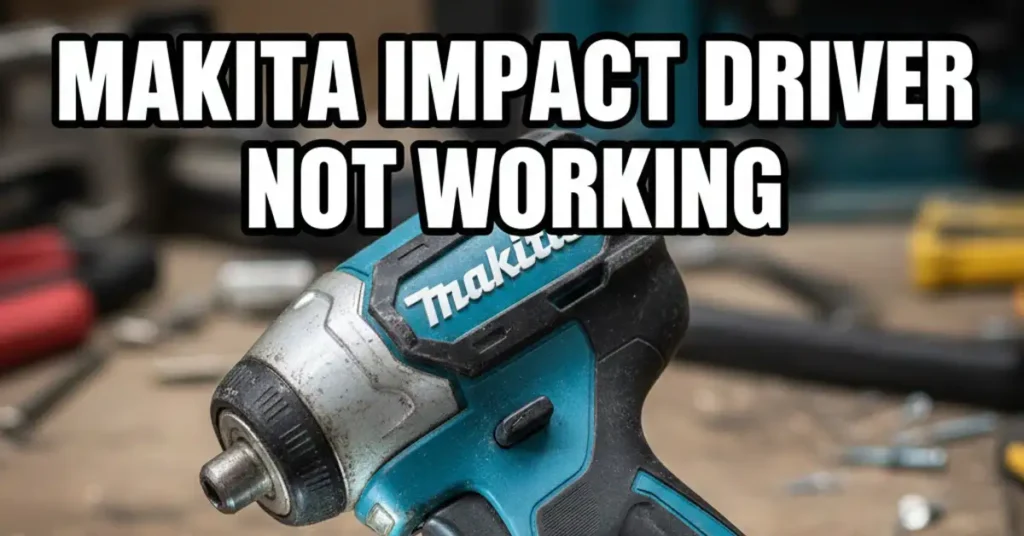
It was a hot Tuesday afternoon. I was halfway through building a new cedar deck in my backyard. I reached for my trusty Makita sub-compact. I squeezed the trigger to sink a long screw, and… nothing. No hum. No spin. Just the sound of the wind and my own annoyed sigh.
When you rely on your tools every day, a Makita impact driver not working feels like a major loss. I have spent years using everything from DeWalt to Milwaukee. My Makita has always been my “old reliable” gear. Having it die in the middle of a project was a real test of my patience.
I did not want to run to the store. I did not want to drop another hundred dollars. I took it to my workbench and grabbed a cold drink. I started to poke around the guts of the tool. If your driver is acting up, here is how I fixed mine.
The First Culprit: The Battery Connection
The very first thing I checked was the battery. It sounds like a “no-brainer,” but this is often the root of the problem. I have felt silly before finding out my “broken” tool just had a dead pack.
Testing the Power Pack
I pushed the button on the back of my LXT battery. It showed three solid green bars. The battery had plenty of juice. But when I slid it into the tool, the LED did not flicker. The power was not making the jump from the pack to the tool.
| Checkpoint | What I Looked For | The Result |
| Battery Bars | At least 2 bars of charge | Passed |
| Metal Tabs | Clean, shiny copper | Failed (Black soot) |
| Slot Fit | Tight, “click” sound | Passed |
I noticed a thin layer of black gunk on the metal tabs. This is called arcing. It happens when tiny sparks jump between the battery and the tool. I took a Q-tip with a bit of alcohol and cleaned those metal tabs. They shone like new. I slid the battery back in, and the light popped on.
Troubleshooting a Dead Trigger Switch
If your light is on but the tool is silent, the trigger is likely the issue. On a Makita, the trigger is a variable speed sensor. It is more than just an on and off button. It is a complex part that can get dirty.
The Dust Trap
In my shop, sawdust gets everywhere. It is like glitter for woodworkers. I realized that fine wood dust had worked its way behind the plastic trigger. When I squeezed it, the dust was blocking the switch. It could not make a full connection.
I grabbed my air tank and gave the trigger area a few good blasts. I watched a cloud of cedar dust fly out. For many people, this is the magic fix. If your Makita impact driver not working feels “mushy,” try the air trick first.
Electrical Failure
Sometimes, the switch just dies. If you pull the trigger and hear a faint click but the chuck does not move, the internal copper parts might be burnt. Replacing a switch is a bit of work. However, it still beats buying a whole new tool from the store.
Checking the Motor: Brushes vs. Brushless
Once I knew the power was moving through the switch, I had to look at the motor. Makita makes two main types of drivers. How you fix them is very different depending on the model you own.
The Smell Test
I put my nose right up to the motor vents and took a sniff. If you smell something like “burnt ozone,” your motor is in trouble. That smell usually means something has overheated or shorted out inside the tool.
Dealing with Carbon Brushes
My older Makita is a “brushed” model. These have two small blocks of carbon that rub against the motor. They wear down like a pencil eraser. When they get too short, they can’t reach the motor, and the tool stops.
I popped the two plastic caps on the side of the motor. The brushes were tiny nubs. I swapped them for a new pair which cost me very little. The motor sparked back to life instantly. It was a very satisfying and cheap fix.
The Brushless Brain
If you have a newer “Brushless” (BL) model, you will not find those caps. These tools use a computer chip to run the motor. These are built to be very tough. If they fail, it is usually because the “brain” got too hot.
| Motor Type | Common Sign of Failure | Typical Fix |
| Brushed | Visible sparks, burning smell | New Carbon Brushes |
| Brushless | Tool gets very hot, then cuts out | Replace Controller PCB |
Mechanical Jams and Gear Issues
Sometimes the motor is spinning fine, but the bit at the end is not moving. This is a mechanical jam rather than a power issue. I have seen this happen after heavy use in dirty spots.
The Stuck Collet
I remember once I was working in the rain. My impact driver sat in the damp for an hour. The next day, I could not get my bit out. The “collet” was rusted shut. This is the sleeve you pull to change bits.
A tiny drop of oil and a bit of tapping loosened it up. If your motor hums but the chuck stays still, you might have a broken anvil. This is the heavy metal piece that actually “impacts.” If you use your driver like a jackhammer, that anvil can snap.
Why Quality Tools Still Fail
Even the best tools have bad days. I love Makita because their parts are easy to find. Whether it is an old model or a new one, you can find a spare part. This makes them great for people who like to fix their own gear.
Heat: The Silent Killer
The biggest reason my tools fail is heat. When I am driving long bolts into thick wood, the motor gets very hot. If the tool feels hot to the touch, you should stop. Give it five minutes to cool down before you continue.
Moisture and Grit
As a DIYer, I am not always working in a clean lab. Tools get dropped in the mud or left in a cold garage. Moisture causes the “brain” of the tool to short out. I now keep my drivers in a hard case to keep them safe.
My Final Fix and Lesson Learned
Back on my deck project, the fix was simple. It was a mix of two things. I had a dirty battery contact and a dust-clogged trigger. After five minutes of cleaning, my Makita was back to work. It was driving screws like it was brand new.
I did not need a degree in science. I just needed to slow down and look at the basics. Most tool failures are just maintenance issues. Cleaning your gear is the best way to make it last for years.
Don’t Give Up on Your Tool
Before you toss your driver in the trash, try these three things. Clean the battery tabs with alcohol. Blow out the trigger with air. Check if your model needs new carbon brushes.
FAQs: Makita Impact Driver Stopped Working
Why does my Makita impact driver light turn on but the motor will not spin?
This often means your battery has power, but the trigger switch is stuck. Fine dust from a job can block the inner contacts. Try blowing the trigger area with clean air to clear the path.
Can a dirty battery connection cause my impact driver to cut out?
Yes, soot or grime on the metal tabs will block the flow of power. This is common if you work in dusty areas or humid weather. Wipe the copper tabs with a soft cloth to keep the link strong.
How do I know if my Makita driver needs new carbon brushes?
If you see sparks or smell a burnt scent, your brushes are likely worn down. These small parts rub the motor and wear out like a pencil eraser. Replacing them is a fast and cheap fix.
What should I do if my drill bit is stuck in the chuck?
A tiny bit of grit can jam the collet and lock your bit in place. Tap the chuck gently with a wooden block or add a drop of oil. This should help the spring release your hex bit safely.