
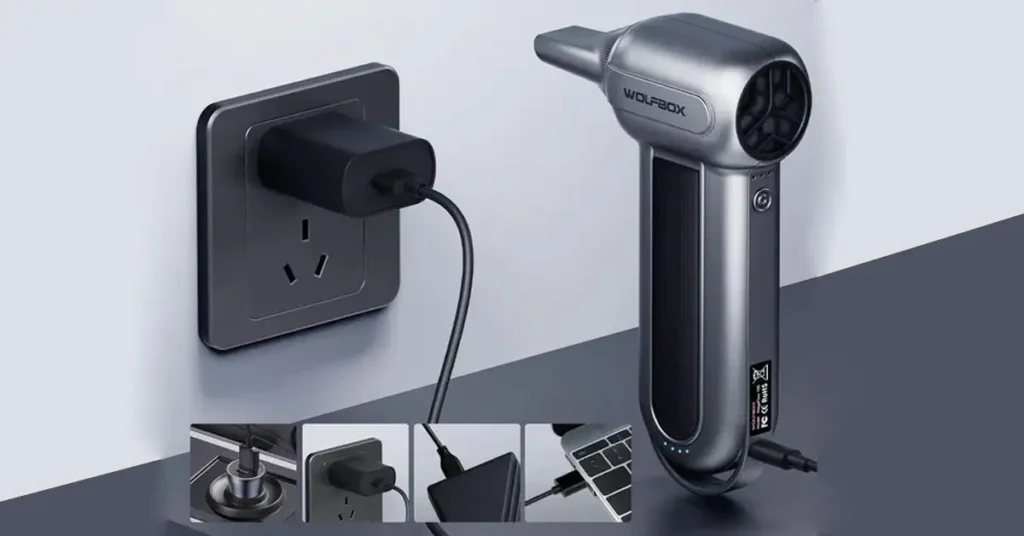
When I tried to swap the WOLFBOX MF100 battery, I found out fast that it is not a simple job. It is not at all like changing the pack on the MF200. The MF100 keeps its battery deep inside the case. You can’t reach it without opening the whole tool.
In this guide, I share what I learned. I explain how the battery works, why it may fail, and what you must do to stay safe. I also show what tools you need if you plan to change or upgrade it.
Here is the short truth: you can change the MF100 battery. But you must take care. You need the right gear and a steady hand.
Table of Contents
What Should You Know Before Replacing the MF100 Battery?
Why Is the MF100 Battery Considered “Non-Replaceable”?
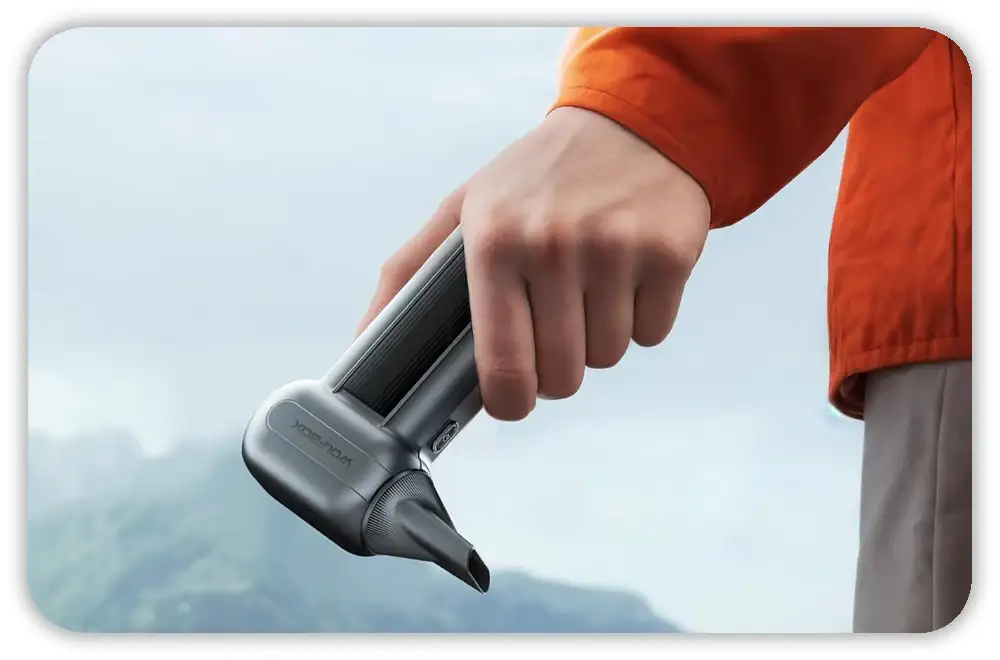
When I first opened my MF100, I understood right away why people say the battery can’t be replaced. The pack is a tight 2-cell setup, sealed inside the body with no access panel at all. It feels a lot like the sealed tools you see from Milwaukee or DeWalt in the U.S. Once you crack the case, you also break the factory seal, so the tool is no longer “as shipped.” The short version is this: the MF100 battery is locked inside the shell, and you have to open the whole tool to reach it.
Does Replacing the MF100 Battery Void the WOLFBOX Warranty?
When I checked the warranty terms, I found no room for internal repairs. The moment you open the shell, the WOLFBOX warranty is gone. Their 24–42 month plan covers normal use only, not any internal work. This is the same rule I’ve seen with brands like Craftsman, Ryobi, and Milwaukee, so it’s not unusual for U.S. buyers. If you step inside the MF100, you take on full responsibility for the tool.
How Hard Is the Replacement for a DIYer?
The first time I tried this job, I knew right away it wasn’t a simple “swap and go” task. You need skill with soldering, BMS wiring, and safe Li-ion work. A wrong cut or a short can ruin the board or even start a fire. It feels a lot like rebuilding an e-bike or vape battery pack, not the kind of job most casual DIYers try at home. If you’ve used the MF100 or MF200 before, you’ll know how tight the parts fit, and that adds to the challenge.
What Battery Does the WOLFBOX MF100 Actually Use?
What Is the MF100’s Internal Battery Configuration?
When I checked the pack inside my MF100, I found two 21700 cells wired in a 2S setup. That gives the tool around 7.4V and about 6000 mAh total. The BMS sits right on the board, so the whole system is compact. On high mode, the motor pulls hard, which is why you sometimes feel the voltage sag.
What Causes MF100 Battery Failure or Weak Runtime?
I’ve seen weak MF100 units for a few reasons. The cells get old. They heat up during long sessions. The motor runs fast, so it drains the pack hard each time. Many people in the U.S. also store tools in hot garages, and heat is one of the worst things for lithium cells. Bad charging habits can make things worse.
Which Replacement Cells Are Recommended for Performance and Safety?
I tested a few high-drain options, and good cells made a big difference. I had the best luck with EVE 50PL, Samsung 40T, and Molicel P42A. These cells hold up under load and work well in a 2S build. I never use cheap no-name cells from random online sellers, and I don’t recommend them to anyone. They sag fast and can be unsafe.
What Tools and Safety Gear Do You Need?

Required Tools for MF100 Teardown
To open my MF100 cleanly, I needed a small Torx set, a few plastic pry tools, and a soldering iron strong enough for battery tabs. I also used heat-shrink and Kapton tape to cover leads and wrap the pack. A multimeter helped me check voltages and keep the cells matched. These small steps help prevent mistakes.
Required Safety Equipment
For safety, I used eye protection and insulated gloves. I also placed the tool on a metal surface so heat or sparks had nowhere to spread. I kept a sand bucket nearby, which is something I learned from working around lithium cells before. Good airflow also helps when soldering.
What Safety Rules Matter Most When Working With Li-Ion Cells?
I follow the same rules every time. I never crush or bend a cell. I never solder cells that are fully charged. I always match the voltage of both cells before I join them. I also cover every open terminal as soon as I cut or strip a wire. These steps seem small, but they prevent shorts.
How Do You Open the WOLFBOX MF100 Without Damaging It?
Step 1 — Locate Hidden Screws and Clips
The MF100 hides screws under the rubber grip and labels. When I opened mine, I went slow and used a thin spudger to lift the edges. The body also has small clips that hold the halves together. Once you find them, the shell comes apart easier.
Step 2 — Split the Housing Safely
The shell of the MF100 is made from ABS plastic, and it can crack if you push too hard. I used a slow “walk around” method and eased the clips open one by one. In cold garages — common in some parts of the U.S. — the plastic feels stiff, so warming the tool helps.
Step 3 — Expose the BMS and Battery Pack
Once the case opens, the battery sits near the motor and PCB. I took photos before touching wires so I would not forget the order. The B+, B-, and center tap wires sit in a tight layout, so it helps to label them as you go.
How Do You Remove the Original MF100 Battery Pack?
Step-by-Step Disconnection
When I removed the battery, I cut one wire at a time so nothing could short. I covered each cut end with tape right away. Then I checked the polarity with my multimeter to make sure the lines matched the board.
How to Check the Original Cells for Failure
To check my old cells, I tested voltage and internal resistance. Low voltage, swelling, or heat marks tell you the pack is done. If the cells heat too fast, that is another clear sign.
Should You Reuse the Original BMS?
I kept the original BMS in most cases because it’s tuned for the MF100. A new BMS can work, but it adds complexity. Unless the board is damaged, the OEM unit is the safer choice.
How Do You Build a Correct 2S Replacement Pack?
Step 1 — Match Both Replacement Cells
When I built my first 2S pack, I learned one thing fast. Both cells must match in voltage. I keep them within 0.01V. Even a small gap can stress the BMS. It also makes the pack run rough. I check the cell direction twice so it matches the factory layout.
Step 2 — Connect Cells (Spot Welding vs. Soldering)
I join cells with a spot welder when I can. It keeps heat low and protects the cells. I have soldered packs before, but it heats the tabs fast. Too much heat can harm the inside of the cell. If you do solder, work fast and use thick wire. Spot welding has always given me clean and safe joints.
Step 3 — Reattach the BMS Leads Correctly
When I add the BMS wires, I take my time. I label B+, B–, and the center tap first. A wrong lead can kill the MF100 in seconds. I also add strain relief so the wires stay still during use. This small step saved me many repairs.
Step 4 — Insulate and Wrap the Pack
When the pack is wired, I wrap it with Kapton tape. Then I add heat-shrink for a clean finish. Heat-shrink reacts fast in warm shops. It shrinks slow in cold garages, which many U.S. users deal with. I sometimes use a 21700 holder for support. A tight wrap keeps the pack safe inside the MF100 shell.
How Do You Reinstall the New Battery Into the MF100?
Fitment Check and Vibration Control
When I slide the new pack inside, I check for pressure. The cells should not push on the motor or the shell. I reuse the OEM foam because it stops vibration. It also keeps the wrap from rubbing on the case.
Routing Wires Safely
I route wires along the edge of the housing. This keeps them away from the fan. Once, a wire got too close and rubbed over time. Now I check every pinch point before closing the shell.
Closing the MF100 Housing
When everything looks right, I close the shell. I press each clip slowly. I add the screws with light force. I also check airflow seals. A small gap can lower airflow and cut performance.
How Do You Test the MF100 After a Battery Replacement?
First Charge Cycle
After a rebuild, I charge slow. I use a 5V/2A charger. I watch for heat in the first hour. This helps the BMS balance the pack.
Low, Medium, and High Mode Testing
I test one mode at a time. Low and medium should run smooth. High mode shows sag if something is wrong. I listen to the motor pitch to spot issues.
Stress Test for Upgraded Packs
For big cells, I run a short stress test. If heat rises fast, I stop. I do this outside when I can. It is a safe habit for any home shop.
What Problems Might Happen After Replacing the MF100 Battery?
MF100 Will Not Power On
If the tool will not start, I check the BMS wires. A loose lead or reversed line can stop the tool. I also check the PCB, since some traces are thin.
MF100 Shuts Off on High Speed
If the tool shuts off on high, the pack may sag. The BMS can also trip. Cheap cells do this a lot.
Battery Takes Too Long to Charge
The MF100 charges at only 10W. Big packs take more time. This is normal.
Overheating During Use or Charging
Heat is a warning sign. It may come from tight wraps, pinched wires, or weak cells. Hot garages, common in the U.S., make this worse. If I see heat, I stop right away.
Is Upgrading the MF100 Battery Worth It?
When Upgrading to 10,000 mAh Makes Sense
For long shop work or car cleaning, the upgrade helps. The MF100 runs longer, even on high. It feels smoother under load.
When You Should Not Upgrade
If you use the MF100 for light tasks, you do not need a big pack. If you have never worked with Li-ion cells, the job is risky.
How the MF200 Compares for Heavy Users
When I used the MF200, I liked the swappable packs. They charge fast and save time. For heavy work, the MF200 feels like a better long-term pick. Sales in the U.S. make it even better.
How to Make Your New MF100 Battery Last Longer
Charging Habits
I avoid deep drains. They age cells fast. I charge on a safe surface. I avoid wood and fabric. These habits keep the pack stable.
Storage Tips
I store the pack at 40–60%. I keep it out of hot garages. Heat speeds up aging. In summer, I move the tool indoors.
Daily Use Tips
I avoid long bursts on high. I let the tool cool between cycles. A clean airflow path keeps heat low.
FAQ: How I Replace the WOLFBOX MF100 Battery
Can you replace the MF100 battery?
Yes. But it takes skill.
Is it safe to replace the battery at home?
Only if you know Li-ion safety.
What battery size does the MF100 use?
Two 21700 cells in a 2S pack.
What’s the best upgrade battery?
EVE 50PL or Molicel P42A.
Will a bigger battery charge slower?
Yes. The MF100 charges at 5V/2A.