
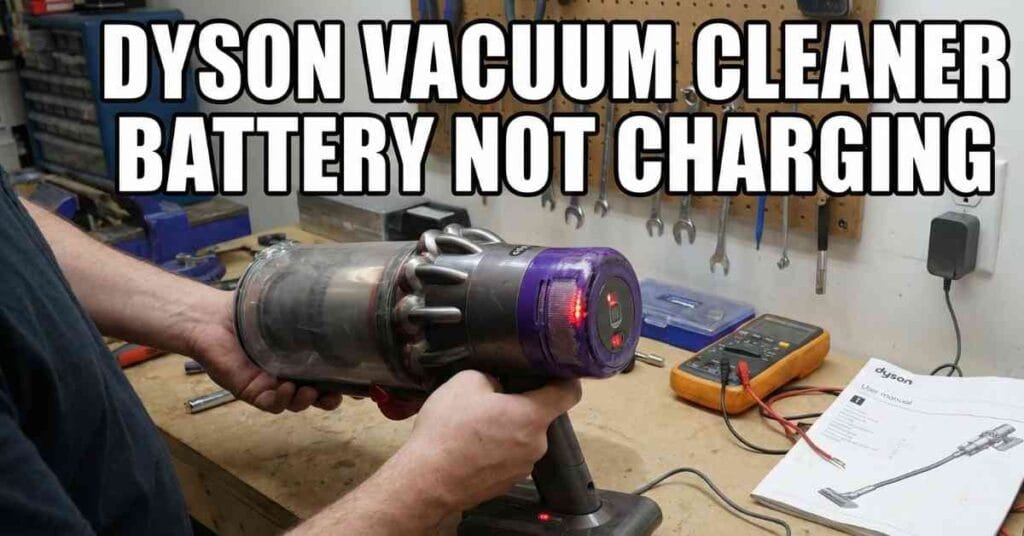
My name is Maruf. I fix tools at Tools Engineers. I see broken stuff a lot. It is sad when your gear stops. I want to help you fix it fast.
I was in my shop last week. Dust was all over the floor. I grabbed my machine to clean up. I pulled the trigger to start. The machine did not turn on at all.
I put it on the wall plug. I stood there and watched it. The blue light did not glow. My heart sank deep in my chest. A dead tool ruins a good day.
Let us look at the facts together. We will find out what went wrong. We will fix your broken machine. It is often a very fast fix. You can do this right at home.

The First Step Is The Wall Plug
People think the machine is bad right away. That is a big mistake to make. The wall plug is often the true fault. I see this issue all the time. Check the wall before you buy parts.
Test Your Wall Outlet Today
Take the power cord out of the wall. Get a small desk lamp from your room. Plug the lamp into that same spot. Turn the switch on to see the light. If it stays dark, your plug is bad.
Look At The Power Cord
Your wall plug might work just fine. Now you must check the long wire. Run your hands down the whole cord. Feel for soft bumps or sharp cuts. A cut wire is a real fire risk.
Skip The Plastic Wall Dock
Do you use a mount on the wall? These mounts look nice in your house. But they fail a lot over time. Dirt gets stuck on the metal pins. The pins bend and stop the power flow.
Take the cord out of the wall mount. Plug it right into the machine. Watch the small lights on the side. Does it start to fill up now? If it does, your wall mount is the bad part.
Read The Light Codes On The Side
The small lights tell a clear story. They show you the exact fault inside. I look at them first on my work bench. They guide my hands to the right fix. Let us read the signs together right now.
| Light Color | What It Means | How To Fix It |
| Blue | It works well. | Let it sit there. |
| Flash Blue | It is cold. | Warm it up fast. |
| Flash Red | The cells died. | Buy a new block. |
| Dark | No flow at all. | Check the long cord. |
What A Blue Flash Means
A blue flash is a very common sight. It means the power is all gone. Let it stay on the cord for an hour. It might also mean the room is cold. Cold air stops the charge flow dead.
I left my tool out in the cold once. The fluid inside the cells got too thick. The safe chip said no to the power. I brought it inside my warm house. It worked fine two full hours later.
The Bad Red Flash
A red flash is a very sad sight. It means the parts inside broke down deep. You can not fix a red flash on your own. Do not try to crack the case open. It is time to buy brand new parts.
The Big Heat Problem
Heat is a huge foe for these cells. A hot motor cooks the parts inside fast. Max mode makes a lot of heat right away. I felt my case after a big job once. It burned my bare hand a bit.
The maker put a smart chip inside. This chip checks the heat all the time. It turns off if it gets too hot. This keeps your home safe from a bad fire. It will not fill up while it is hot.
How To Cool It Down
Did it die right after a long clean? Do not freak out right now. Just pull the long cord out of the wall. Put the machine in a cool dark room. Keep it far away from the hot sun.
Wait for a full hour to pass by. Let the hot air flow out of the case. Put the plug back in the side slot. The blue light should turn on now. The heat switch just had to flip back.
Keep Your Air Filters Clean
Thick dust clogs up the cold air flow. A clogged path makes the motor work hard. A strained motor gets hot very fast. That heat goes right to the base. A hot base will not take a new charge.
Wash the cloth filter one time a month. Let it dry out in the fresh air. Put it back when it is bone dry. A clean path keeps the big motor cool. A cool base takes a charge real fast.
When Do You Need New Parts?
Things break down as the years pass by. The cells lose their strength over time. This is a cold and hard fact. A three year old unit is quite old. It will run short and die fast.
| Use Style | Life Span | When To Toss |
| Hard daily work | One year | Runs one minute |
| Mild weekly work | Three years | Will not start |
| Rare light work | Five years | Red flash warns |
How To Swap The Base Unit
You can change the base right at home. You do not need a pro repair shop. Grab a small star tool from your box. Look at the back of the hand grip. Take that one screw out first.
Look at the bottom of the gray case. Two more screws sit down in there. Take them out of the small round holes. Put the three screws in a tea cup. You do not want to lose them at all.
Pull the old block straight down hard. It will slide out of the guide track. Push the new block up the same track. It will click when it is nice and snug. Put the three screws back in place.
Buy Only Real Brand Parts
I must give you a firm and clear warning. Do not buy cheap fake blocks from the web. I cut them open on my work bench. The cheap parts inside are very bad. They skip the safe heat chips to save cash.
A cheap block can melt your good tool. It will end your brand care plan fast. Always buy the real brand parts from the store. They cost more but they keep you safe. They last a long time in your home too.
More Checks For A Dead Machine
Sometimes the fix is not the power block. The machine might just be stuck or clogged. A stuck machine will flash lights and shut down. I check for jams on every job. You should look for them too.
Look At The Brush Head
Flip the floor head up to the light. Look at the spinning brush roll right there. Long hair gets wrapped tight on the roll. The hair stops the roll from moving free. The motor gets mad and stops the whole tool.
Grab a pair of sharp desk shears. Cut the long hair off the spinning brush. Pull the loose hair out with your hands. Spin the roll to see if it moves well. A free roll lets the machine run cool.
Check The Long Tube
The long stick tube can get blocked up fast. Big leaves or bits of paper get stuck inside. A blocked tube stops the cool air flow. The tool gets hot and shuts off to save itself. It will act like it is completely dead.
Take the long stick off the main unit. Look down the hole like a spy glass. Do you see a big clump of dirt in there? Push a broom handle down the long stick. Push the dirt plug right out the other end.
Empty The Clear Dust Bin
A full dust bin causes a lot of grief. The dirt hits the max line very fast. If you pass the line, the air stops flowing. The same heat issue will happen once more. You must keep the dust bin empty and clear.
Hold the tool over your big trash can. Push the red latch down hard to dump it. Give the bin a good shake to drop the dust. Close the trap door when it is all clean. This takes ten seconds and saves your gear.
Three Rules For A Long Tool Life
You fixed the dead unit in your home today. Now you want it to last for long years. I have three firm rules in my own shop. These simple steps keep my gear top notch. You should try them in your house too.
Say No To Max Mode
Max mode drains the power real fast. It cooks the cells from the inside out. I only use it for big spills on rugs. Normal mode has strong suck power for dust. It does the job well all week long.
Store It In A Good Place
Do not leave it in a hot car trunk. Keep it away from hot home air vents. A cool dark hall closet is the best spot. Room heat is fine for the small cells. Deep heat kills the life span very fast.
Let The Motor Rest
I clean my whole house on my days off. The case gets quite warm from the hard work. I do not plug it right into the wall. I let it lean on the wall by the door. I sit down and drink some iced tea.
I wait for ten or twelve full minutes. The hot air leaves the thick plastic shell. Then I hook it up to the wall cord. This saves the parts from a slow hot cook. It adds real years to the tool life.