
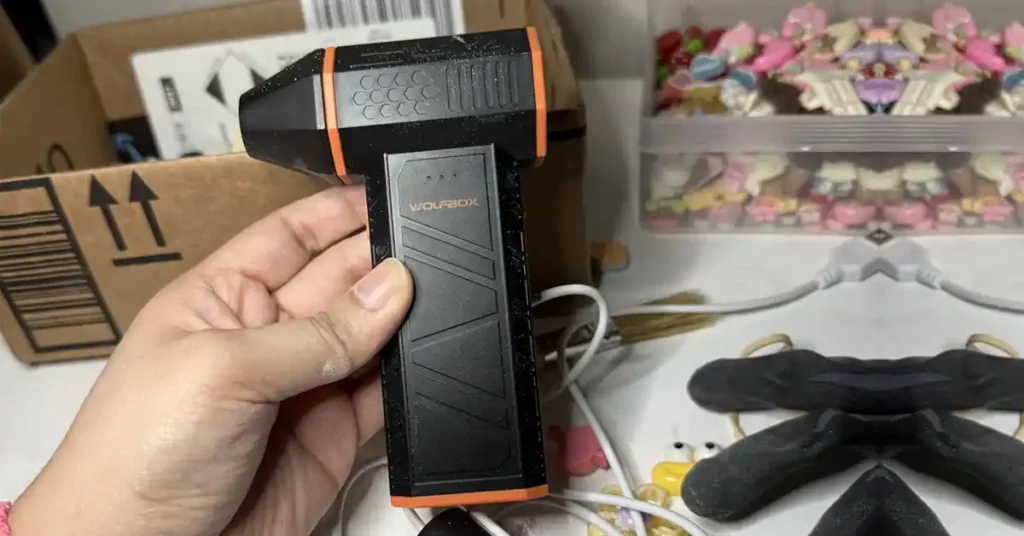
When my air duster stops working, it’s almost always something simple. Most times it’s a low battery, a clogged inlet, or a heat shutdown after a long cleaning job in a warm garage. Other times it’s a bad charger or a loose cable. I’ve seen these same issues in small shops, home workbenches, and car bays across the U.S., so you’re definitely not alone.
In this guide, I’ll walk you through the real fixes that helped me bring electric and canned air dusters back to full power. The key point is that most air duster problems look big, but the causes are often easy to spot and even easier to fix.

Table of Contents
What Does “Air Duster Not Working” Really Mean?
When I say my air duster is “not working,” it can mean a lot of things. Sometimes it won’t turn on at all. Other times the airflow feels weak, or the unit shuts off after a few seconds. I’ve seen all of these in my own garage and in small shops here in the U.S., and each failure points to a different cause. The main point is that “not working” is a broad term, so it helps to break it down before you start fixing anything.
Types of Air Dusters Used in U.S. Workshops
In my experience, there are three kinds of air dusters that show up on benches and tool carts:
- Canned compressed gas using HFC-152a or HFC-134a
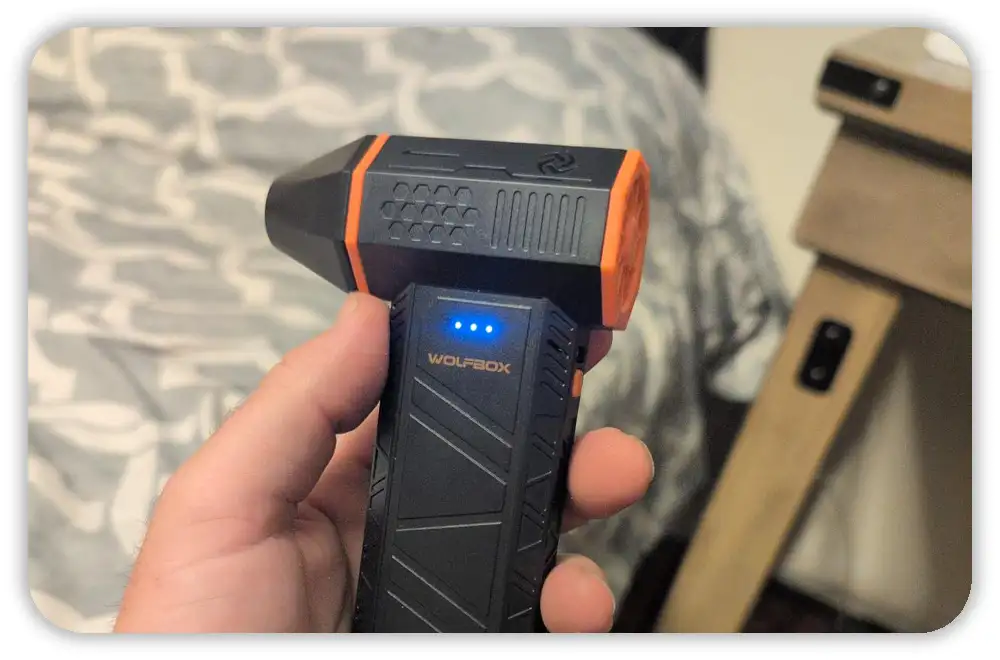
- Electric air dusters from brands like Opolar, DataVac, XPower, AFMAT, or the generic 100k RPM units
- Cordless tool blowers that run on common U.S. tool batteries, like Milwaukee M12/M18, DeWalt 20V Max, or Ryobi One+
I see all three used in garages and home offices, and each type fails in its own way. The key idea is that the fix depends on the type of air duster you have.

Failure Categories to Keep in Mind
Whenever someone asks me why an air duster stopped working, it usually falls into one of these simple buckets:
- Zero power
- Weak airflow
- Overheating shutdown
- Short battery life
- Charger or port issues
- Button or input failures
- Mechanical blockage
I use this list to narrow down the problem fast. The takeaway is that most issues fit into a small set of patterns.
Why Isn’t My Air Duster Turning On?
When my air duster refuses to turn on, I always start with the basics. A low battery, a loose cable, or a hot motor can all make the unit act dead. I’ve had this happen on cold mornings and after long cleaning runs in my own garage. The point here is that a few quick checks often bring a “dead” air duster back to life.
Is the Battery Too Low to Start the Motor?
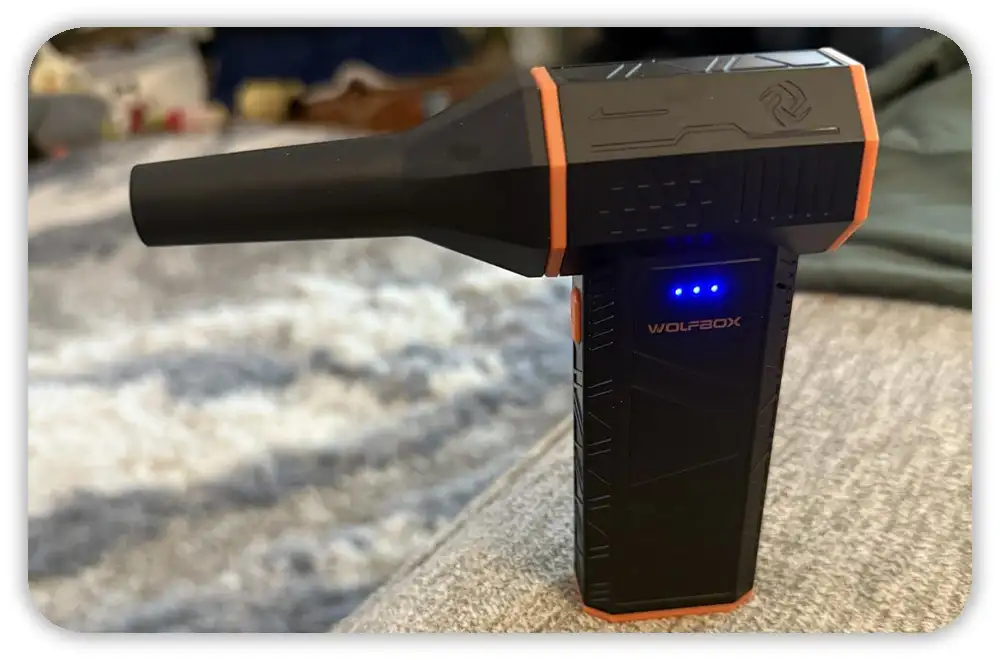
In cold garages, lithium cells drop voltage fast. I’ve seen my air duster fail to start on a winter morning here in the U.S. until I warmed it with my hands. High-speed modes also need strong voltage, so a weak battery can confuse you. The key point is that cold or low batteries can make the motor fail to fire.
- Warm the unit in your hand
- Plug into a confirmed 5V/2A charger
- Avoid laptop USB ports because they give weak power
Is the Charger the Wrong Type? (USB-C ≠ Always Compatible)
I’ve owned dusters that hated “smart” USB-C chargers. Some of the cheaper models don’t talk well with USB-C Power Delivery, so they only charge with a simple USB-A to USB-C cable and a dumb 5V wall plug. I learned this the hard way after thinking my unit was broken. The main point is that not all chargers play nice with budget dusters.
- Use a USB-A → USB-C cable
- Stick with a 5V wall brick
- Avoid 9V or 12V fast chargers
Is the Duster in a Lockout State?
A hot motor or low voltage can cause a built-in lockout. When this happens, the air duster feels dead even though nothing is broken. I’ve hit this after long cleaning jobs where the unit needed a few minutes to cool. The key idea is that lockouts act like failures, but they reset fast.
- Try a long-press reset
- Let the unit rest for a few minutes
- Restart with a stable charger plugged in
Why Is My Air Duster Blowing Weak Airflow?
When the airflow drops, it almost always comes from dust buildup, loose attachments, or a tired battery. I’ve had this happen while cleaning PC cases, mower decks, and tool drawers. The good news is that weak airflow is one of the easiest issues to fix. The key point is that small blockages create big problems.
Is the Intake Clogged?
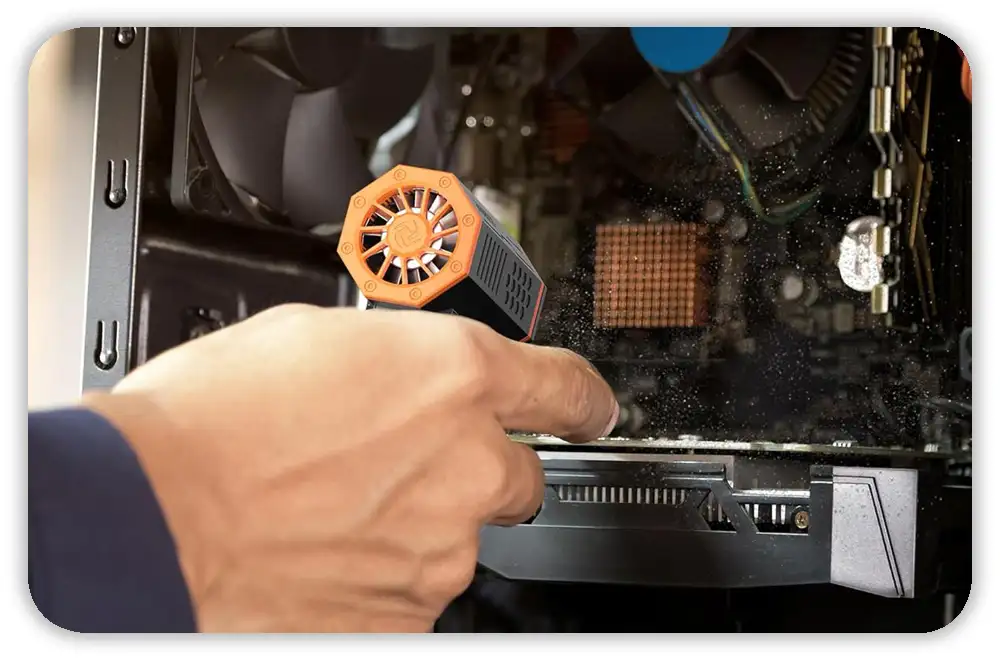
Dust, pet hair, grass, and sawdust all pile up fast. In my own shed, sawdust from a table saw once packed the intake so tight the motor overheated within seconds. A quick brush fixed it. The point is that a clogged intake is one of the most common reasons for weak air.
- Brush the intake screen
- Tap out debris
- Keep it clear during long jobs
Is the Nozzle Loose or the Wrong Size?
I’ve had nozzles that looked attached but were just loose enough to leak air. High-speed dusters lose power when the nozzle isn’t sealed well. This happens a lot with generic tips. The takeaway is that a tiny gap can kill airflow.
- Push until the nozzle clicks
- Try a different attachment if needed
- Check for cracks or worn fittings
Is the Battery Voltage Sagging Under Load?
One clear sign is when the airflow starts strong and drops in a few seconds. I’ve seen this with older batteries that can’t hold voltage when the motor ramps up. It feels like the duster is weak, but it’s the battery sagging. The key point is that aging batteries show up as weak airflow, not always as power loss.
- Watch for fast drop-off in power
- Recharge fully
- Consider professional service if it keeps happening
Why Does My Air Duster Keep Shutting Off?
I’ve had air dusters shut off mid-job many times, and it’s almost always heat or blockage. Hot garages in summer make this worse, especially in states like Arizona or Texas. These dusters spin fast, and heat builds quicker than people expect. The key idea is that shutdowns are usually a safety feature, not a sign of failure.
Is It Overheating in Hot U.S. Climates?
In warm states or sealed garages, the temp climbs fast around the motor. Turbo mode builds heat in minutes. I’ve hit thermal shutdown while blowing dust off a car engine bay in July. The point is that heat limits are strict for safety.
- Let it cool
- Take breaks on long runs
- Keep it out of direct sun
Is Dust Choking the Motor or Bearings?
Fine dust can slip past the intake screen and settle near the bearings. When that happens, the motor needs more force to spin and the duster shuts off. I’ve heard a slight grinding sound right before it trips. The takeaway is that dust inside the motor causes heat and strain.
- Listen for grinding
- Stop if you smell heat
- Clean the intake often
Is the Internal Protection Circuit Tripping?
These dusters have built-in protection circuits for current and voltage. When the load spikes, the board cuts power. I’ve seen this after a partial clog that made the impeller struggle. The key point is that protection trips are normal signs of stress, not damage.
- Clear the air path
- Check for stuck debris
- Restart after a minute
Why Won’t My Air Duster Charge?
Charging issues are one of the most common problems I run into. Sometimes it’s the cable. Sometimes it’s the port. And sometimes the battery is at the end of its life. I’ve had dusters “wake up” after switching chargers, so I always test simple stuff first. The main point is that charging failures often look worse than they are.
Have You Tried a Legacy USB-A Charger?
A lot of air dusters reject smart USB-C PD chargers. I’ve tested this on a few units that only charged with a basic USB-A wall brick. If your charger comes from a tool brand like Milwaukee or DeWalt, the USB port may be too weak. The takeaway is that charger type matters more than people think.
- Use 5V/1A or 5V/2A
- Avoid fast-charge ports
- Try a basic wall adapter
Is the USB-C Port Dirty or Loose?
Shop dust, metal shavings, and even sand can get lodged in the port. I’ve pulled debris from my own USB-C ports more times than I can count. A loose connector can also stop power. The key point is that ports get dirty faster than most users expect.
- Clean with a dry brush
- Check for wiggling
- Stop using if the port shifts on the board
Signs the Battery Is Failing
Sometimes the issue isn’t the charger at all. I’ve had units that showed a full green light but died in seconds. That’s a classic sign of a worn battery. If the pack swells, stop using it right away. The key idea is that battery health affects every part of performance.
- Fast drain
- Green light too fast
- Swelling or heat
Can I Fix My Air Duster at Home?
Most air duster fixes are simple and safe. Clean the intake, swap cables, reseat nozzles, and let the unit cool. Avoid opening battery packs or soldering boards. Do basic checks first and only go deeper if you have the right skills. The key point is to start with low-risk steps.
DIY Fixes That Are Safe and Effective
I try the easy stuff first.
- Clean the intake with a soft brush. Summary: cleaning often brings airflow back.
- Try a different known-good charger and cable. Summary: cables fail more than you think.
- Long-press the power button to reset. Summary: many units clear lockups with a reset.
- Reseat the nozzle until it clicks. Summary: a tight fit restores pressure.
- Let the unit cool for 10–30 minutes before restarting. Summary: cooling often ends shutdown loops.
Problems You Should Not DIY (Professional-Only)
Some fixes are risky and need pros.
- Swollen or leaking batteries: stop and get help. Summary: swollen cells are a fire risk.
- MOSFET/ESC board repair or soldering: leave to trained techs. Summary: board work can cause more damage.
- Broken impeller blades or internal motor rebuilds: replace or use a service. Summary: internal parts need specialist tools.
- Lifted USB-C ports or PCB damage: ask a repair shop. Summary: port repair is a job for microsoldering experts.
Do not try these at home. Summary: risky repairs belong to pros.
When to Contact the Manufacturer
I contact support after simple checks fail.
- Check warranty terms in the U.S. first. Summary: many faults are covered.
- Share what you tried, photos, and the serial number. Summary: good info speeds claims.
- If the unit gets hot while charging, stop and report it. Summary: overheating while plugged in is serious. Use warranty before paying for repairs. Summary: manufacturer support often saves time and money.
Why Canned Air Dusters Stop Working
Canned air fails differently than electric dusters. Cold cans lose pressure. Moisture can condense and clog the straw. The can can also be near empty even if it feels heavy. The main lesson is to test simple things like temperature and nozzle flow before assuming the can is bad.
Is the Can Too Cold to Produce Pressure?
I keep cans at room temp.
- Cold cans spit liquid and low air. Summary: warming restores pressure.
- Hold the can in your hands for a minute. Summary: gentle warming often helps.
- Avoid open flames when warming. Summary: safety first around propellants.
Is the Nozzle Straw Blocked?
Straws clog fast in dusty shops.
- Remove and blow the straw from the other end. Summary: simple clearing fixes many jams.
- Replace bent or cracked straws. Summary: damaged straws reduce flow.
- Wipe residue from the tip with a dry cloth. Summary: sticky propellant blocks air.
Is the Can Nearly Empty?
Weight-check the can to tell.
- A light can may be low even if it feels pressurized. Summary: pressure drops before weight does.
- Listen for a strong hiss when you test it. Summary: sound helps check remaining charge.
- Keep spare cans for long jobs. Summary: plan ahead to avoid interruptions.
How to Choose a Better Air Duster to Avoid Problems
Pick a model with solid build, a proven battery system, and reliable charging. Brushless motors, metal impellers, and proper USB-C implementation reduce failure risk. For U.S. buyers, look for UL listing and clear warranty terms. The main point is to buy a duster built for your workload.
What Features Matter for Reliability?
I favor simple, robust designs.
- Brushless motors run cooler and last longer. Summary: fewer moving parts mean less wear.
- Metal or well-balanced impellers reduce vibration. Summary: balance saves electronics.
- Proper USB-C implementation (with CC resistors) improves charger compatibility. Summary: good ports avoid charging headaches.
- High-discharge battery cells help under heavy load. Summary: proper cells keep voltage steady.
Recommended U.S. Brands to Consider
I test tools I can buy locally.
- DataVac is solid for pro bench work.
- XPower A-series offers strong flow for larger jobs.
- Opolar/AFMAT are practical mid-range picks.
- Milwaukee M12 blowers are great if you use tool batteries.
Safety Labels & Standards to Look For
I check for safety marks first.
- UL listing signals electrical safety. Summary: UL helps reduce risk.
- FCC compliance suggests tested electronics. Summary: FCC implies basic EMI testing.
- Follow OSHA guidance in work settings. Summary: OSHA rules affect shop use. Safety marks matter. Summary: certifications reduce surprises.
Troubleshooting Checklist
Use this checklist when your air duster not working stalls your job. Start with quick, safe checks: battery, charger, intake, and nozzle. Then move to cooling and support. The checklist runs through the most common problems in order so you fix things fast.
Quick checklist :
- Is the battery low or cold? Summary: warmth and charge often fix power issues.
- Is the charger 5V and non-PD? Summary: use a basic wall adapter first.
- Is the intake clogged? Summary: clear debris to restore flow.
- Is the nozzle loose? Summary: reseat attachments for full pressure.
- Is the unit overheated? Summary: cool it down before restarting.
- Is the USB-C port dirty? Summary: clean ports gently with a dry tool.
- Is the airflow blocked? Summary: check the whole air path for obstructions.
- Is the motor clicking or stuck? Summary: stop and seek professional help if it’s stuck.
FAQ: Common “Air Duster Not Working” Questions
Here are short, direct answers to frequent questions about air duster problems. These quick replies help you decide what to try now and when to stop and get help. Keep these in your phone for fast troubleshooting on the job.
Why does my air duster only run for a few seconds?
Often battery voltage sags under load.
Why is my electric air duster making a buzzing noise?
It may be struggling against a clog or a failing motor driver.
Why does my duster smell hot or burnt?
For cosmetic cleaning, yes. For batteries or PCBs, no.
Do I need a special charger for electric air dusters?
Use a basic 5V/1–2A adapter unless the manual says otherwise.
Why is my canned air shooting liquid instead of air?
The can is too cold or being tilted.
Final Tips to Keep Your Air Duster Working Longer
Small habits beat big repairs. Keep the intake clean, use good cables, avoid heat, and store the unit dry. Check the port often and rotate spare chargers. These habits save time and money and reduce the chance your air duster not working will ruin a job.
Simple Habits That Extend Lifespan
I follow a short routine after jobs.
- Brush or blow out the intake after dusty work. Summary: cleaning prevents blockages.
- Store the duster in a cool, dry place. Summary: heat and moisture shorten life.
- Use a known-good cable and keep a spare. Summary: cables fail more than you expect.
- Avoid long turbo runs without breaks. Summary: pulsed use reduces heat stress.
- Check for firmware or manual tips from the maker. Summary: small vendor tips can help a lot.