
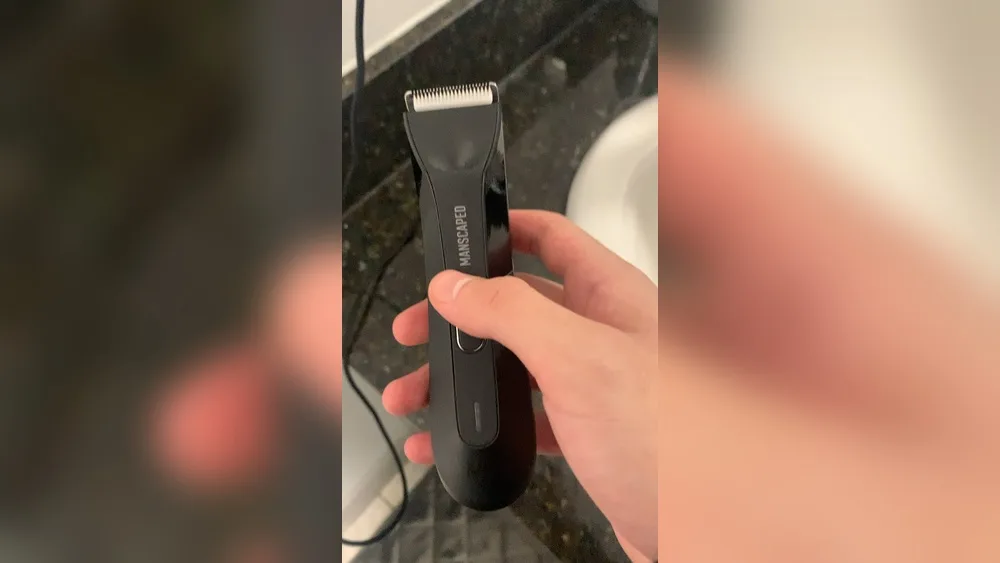
If you’ve ever picked up your Manscaped Lawn Mower 4.0 and pressed the button, only to find it won’t turn on, you’re not alone. I’ve been there. The first time it happened to me, I felt a mix of frustration and panic. I had a plan, and now my trusted trimmer was quiet as a rock. I started searching for answers, reading forums, and even talking to customer service. Along the way, I learned a lot—not just about the Lawn Mower 4.0, but about how these little devices work and what can go wrong.
Let’s walk through everything I’ve discovered about fixing a Lawn Mower 4. 0 that won’t turn on. I’ll share what worked for me, what didn’t, and some things that surprised me. Whether you’re new to electric trimmers or you just want a fast fix, I hope my story helps you get your trimmer buzzing again.
Why Your Manscaped Lawn Mower 4.0 Might Not Turn On
It’s easy to think the trimmer is broken for good. But in my experience, most problems have simple causes. Here are the most common reasons the Lawn Mower 4.0 won’t start:
- Battery is dead
- Charger or cable issue
- Dirty or blocked power button
- Damaged battery or electronics
- Lock feature is on
- Moisture or water damage
- Blade jam or internal blockage
- Firmware/software glitch
I’ll dig into each one, but first, let’s look at some quick checks you can do right away.
First Steps: Quick Checks Before You Panic
The first time my trimmer didn’t turn on, I almost gave up. But a few quick checks saved me hours of worry.
- Check the power button. Sometimes it just needs a firm press. I’ve found that if you press lightly, nothing happens. Hold it for three seconds to be sure.
- Inspect the charging light. When plugged in, the LED should glow. If it doesn’t, there’s probably a power problem.
It helps to do these checks before taking things apart or buying new parts.
Battery Issues: The Most Common Culprit
Based on my own experience, battery problems cause most power issues with the Lawn Mower 4. 0.
Battery Is Empty
If you haven’t charged the trimmer in a while, the battery is likely just dead. I once thought mine was broken, but I realized I hadn’t charged it for weeks. Plug it in for at least 5 minutes and check for a charging light.
If you see the light, let it charge fully (about 90 minutes for a full charge).
Charging Cable Or Adapter Problem
Another time, I discovered the USB-C cable I used was faulty. Not all cables are equal. Try a different cable and adapter if you don’t see the charging light. I used my phone’s charger, and it worked fine.
Charging Port Issues
Dirt, dust, or pocket lint can block the charging port. Blow it out gently, or use a toothpick to remove debris. A blocked port means no power gets in.
Battery Is Dead For Good
Rechargeable batteries wear out over time. If your trimmer is over two years old and the battery won’t hold a charge, it might be time for a replacement. Unfortunately, the Lawn Mower 4. 0 has a sealed battery, and replacing it yourself is tricky.
Button Or Lock Problems
The power button is small and sits flush with the trimmer body. That means it can get stuck or blocked.
Power Button Stuck Or Dirty
I once dropped my trimmer in the sink. After that, the button was sticky. If you suspect dirt or dried shaving cream, use a soft cloth and a little rubbing alcohol to clean around the button. Don’t use too much liquid.
Travel Lock Is On
This is something I missed the first time. The Lawn Mower 4.0 has a travel lock. If you hold the button for 3 seconds, the lock turns on or off. You’ll see a padlock icon flash. If your trimmer won’t turn on, try holding the button for 3 seconds to unlock it.
Moisture And Water Damage
The Lawn Mower 4.0 is waterproof, but that doesn’t mean it’s immune to water damage.
What To Do If It Gets Wet
If you drop it in water or use it in the shower, dry it fully before turning it on again. Shake out any water from the charging port or button area. Leave it in a warm, dry place for a few hours.
Signs Of Water Damage
If you see foggy plastic, corrosion, or the trimmer gets hot when charging, water might have reached the electronics. In this case, contact support before trying to charge or use it further.
Blade Jam Or Blockage
Once, my trimmer made a weird noise and stopped. I opened the blade head and found hair blocking the blades. If the blades can’t move, the motor won’t start.
Fixing A Jam
- Turn off and unplug the trimmer.
- Remove the blade head (it pops off easily).
- Clean out all hair and rinse the blade under water.
- Dry the blade before putting it back.
This simple step solved my problem more than once.
Internal Damage Or Electronics Failure
If you’ve tried all the above and nothing works, your trimmer might have an internal problem.
How To Spot Internal Damage
- No lights at all when charging
- No vibration or sound when pressing the button
- Trimmer gets hot or smells burnt
If you see these signs, the internal circuit might be damaged. In my case, after two years of heavy use, my trimmer finally died this way.
What To Do
Contact Manscaped support if your trimmer is under warranty. They may offer a replacement or repair.
Firmware Or Software Glitch
This is rare, but sometimes the trimmer’s “brain” gets confused.
How I Fixed It
To reset, I held the power button for 10 seconds. The trimmer blinked, and then started working again. It’s like rebooting a phone.

When To Contact Manscaped Support
If you’ve tried every fix and your trimmer still won’t turn on, it’s time to reach out to Manscaped. Here’s what helps:
- Keep your purchase receipt.
- Write down what you’ve tried.
- Take a photo of the problem (e.g., no lights).
Manscaped has a solid reputation for customer service. You can reach them on their website or by email.
Comparing The Lawn Mower 4.0 With Other Trimmers
When my Lawn Mower 4.0 stopped working, I considered other options. Here’s a quick look at how it compares to two other popular trimmers:
| Trimmer | Battery Life | Waterproof | Charging | Travel Lock |
|---|---|---|---|---|
| Lawn Mower 4.0 | 90 mins | Yes | USB-C | Yes |
| Philips Norelco 7000 | 80 mins | Yes | Proprietary | No |
| Wahl Aqua Blade | 180 mins | Yes | Micro USB | No |
Common Mistakes People Make
I’ve learned a few things the hard way. Here are two mistakes I used to make:
- Forgetting the travel lock. I wasted 20 minutes thinking my trimmer was dead, only to find the lock was on.
- Using the wrong charger. Not all USB-C cables work well. Stick with the original or a high-quality cable.
Another common mistake is not cleaning the blade after every use. This can lead to jams and battery drain.
What I Wish I Knew Before
There are a couple of things I wish someone had told me sooner:
- Let the trimmer dry after cleaning. I rushed and turned it on while wet, which almost caused a short circuit.
- Charge before every big trim. Even if the light says you have power, top it up before big jobs to avoid surprises.
How To Keep Your Lawn Mower 4.0 Running Smooth
A little care goes a long way. Here’s my maintenance routine:
- Clean the blades after each use.
- Dry the trimmer before charging.
- Use the travel lock during trips.
- Store in a cool, dry place.
Following these steps, my replacement trimmer has lasted much longer.
Real-world Example: Troubleshooting Step-by-step
Let me share exactly how I fixed my Lawn Mower 4. 0 the last time it wouldn’t turn on.
- I pressed the power button—nothing.
- I plugged it in—no charging light.
- Swapped for a different USB-C cable—charging light came on.
- Waited 10 minutes, tried the button—still nothing.
- Held the button for 10 seconds—a quick blink, then it started!
- Cleaned the blade, just to be safe.
This process took less than 15 minutes. Now, I always check the cable first.

Quick Reference: Troubleshooting Table
Sometimes, a simple table helps me remember what to check. Here’s a summary:
| Problem | Possible Cause | What to Try |
|---|---|---|
| No power at all | Dead battery, bad cable, travel lock | Charge, change cable, unlock |
| Charging light off | Cable or port issue | Clean port, swap cable |
| Won’t turn on after shower | Moisture inside | Let dry 2-3 hours |
| Weird noise, no start | Blade jam | Clean blade head |
| Still dead | Internal damage | Contact support |
When It’s Time To Replace Your Trimmer
If you’ve tried everything and your Lawn Mower 4.0 is still lifeless, it may be time to buy a new one. Most trimmers last 2-3 years with regular use. I got just over two years from mine before the battery gave out. That’s about average for a rechargeable grooming tool.
Before you toss it, check if it’s still under warranty. Manscaped offers a 90-day warranty, and sometimes longer if you bought it from their website. For more details, check the official Manscaped warranty info at their official page.
Frequently Asked Questions
Why Does My Lawn Mower 4.0 Not Turn On After Charging?
Even after charging, the trimmer might not turn on if the travel lock is active, the power button is dirty, or the battery is damaged. Try holding the power button for 3 seconds to unlock. If that doesn’t help, try a different charging cable.
How Can I Tell If My Lawn Mower 4.0 Is Charging?
When the trimmer is plugged in, the LED light should turn on. A steady light means charging. If you see no light, check the cable and port.
Is It Safe To Use My Trimmer In The Shower?
Yes, the Lawn Mower 4. 0 is waterproof. But always dry it before charging. Water in the charging port can cause problems or damage.
What Should I Do If My Trimmer Gets Wet?
Dry it with a towel and let it sit in a dry place for a few hours. Don’t charge or turn it on while wet. This reduces the risk of water damage.
Can I Replace The Battery Myself?
The battery in the Lawn Mower 4. 0 is not meant to be user-replaceable. Opening the case will void the warranty. If your battery fails, contact Manscaped support for help.
I hope sharing my own experiences helps you fix your Manscaped Lawn Mower 4.0 if it won’t turn on. With a few simple checks, you can save time, money, and maybe even your next trim! If you’re still stuck, don’t hesitate to reach out to Manscaped support or check out their warranty info for next steps.
As an Amazon Associate, We earn from qualifying purchases