
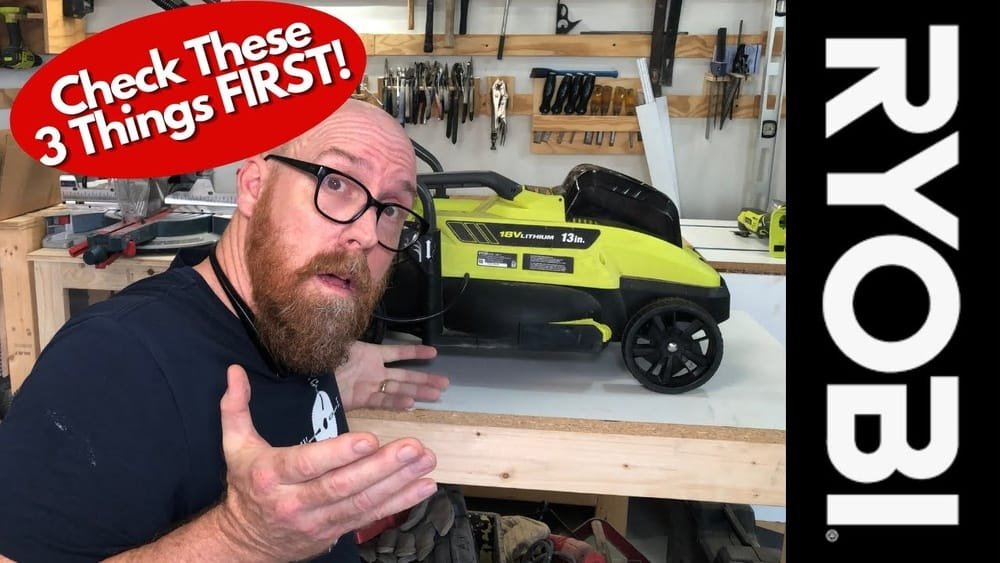
When my Ryobi 40V lawn mower refused to start one Saturday morning, I felt a mix of confusion and frustration. I had a yard full of tall grass and just wanted to get the job done. I grabbed my coffee, took a deep breath, and started troubleshooting. If you’re reading this, you’re probably facing the same headache. Let me walk you through what I learned, the mistakes I made, and how I finally got my mower running again. My goal is to help you fix your Ryobi 40V mower quickly, without the stress.
Why Your Ryobi 40v Lawn Mower Won’t Start
Before grabbing your tools, let’s talk about the most common reasons these mowers don’t start. I’ve owned my Ryobi for three years, and I’ve run into almost every issue you can imagine. Here are the main culprits:
- Battery Issues – Dead, uncharged, or faulty batteries are the top reason.
- Safety Switch Problems – The mower won’t start if safety features are triggered.
- Debris or Jammed Blades – Stuck grass or branches can prevent the motor from moving.
- Faulty Start Key or Switch – If the key or switch is damaged, power can’t flow.
- Damaged Connections – Loose wires or corroded terminals break the circuit.
- Motor or Controller Problems – Rare, but possible if other fixes don’t work.
I’ve personally dealt with all these, so I’ll break each one down with real-life examples.
Step-by-step Troubleshooting
Let’s dig into how you can solve the problem. I’ll share what worked for me and what didn’t.
1. Check The Battery First
I know it sounds obvious, but the battery is usually the problem. I once spent an hour checking everything else, only to find my battery wasn’t seated right.
- Is the battery charged? Plug it into the charger. Wait for the green light. If the light flashes red, your battery is likely dead or faulty.
- Is the battery seated correctly? Sometimes it feels like the battery is in, but it’s not locked. Push it firmly until you hear a click.
- Try another battery. I swapped batteries with my neighbor’s Ryobi and my mower fired right up. If you don’t have a second battery, ask a friend.
Pro tip: If your battery is hot from charging or use, let it cool for 10-15 minutes before trying again. Ryobi batteries have safety features that prevent them from working when hot.
2. Safety Switches And Start Key
Ryobi builds in several safety features. If any of these aren’t right, the mower won’t start.
- Start Key: Make sure the start key is fully inserted. Mine once slipped out a bit and my mower wouldn’t start. Simple fix, but easy to miss.
- Handle Position: The handle must be locked in place. If it’s not, the mower thinks you’re trying to fold it and won’t start.
- Safety Button: Most models have a button you must press while pulling the bail bar (the lever you hold to mow). If you skip this, nothing happens.
3. Clear The Cutting Deck
One afternoon, I tried to mow after a rainy night. Wet grass clogged the blade so badly the mower wouldn’t even hum. Here’s what to do:
- Turn off and remove the battery before you check under the mower. This keeps you safe.
- Flip the mower over and look for stuck grass, twigs, or anything blocking the blade.
- Use a stick or gloved hand to clear away debris.
If the blade can’t spin, the motor won’t start. I now check the deck every time I mow after rain.
4. Inspect The Start Switch And Wiring
If you’ve checked the easy stuff and your mower is still silent, it’s time to look deeper.
- Start Switch: Gently wiggle the switch. Does it feel loose? My friend’s mower had a switch that broke inside the handle. Replacement was easy but took time.
- Wiring: Look for disconnected or broken wires near the handle or battery compartment. I once found a wire chewed by a mouse (yes, really! ).
You can usually see the wires by opening a small panel with a screwdriver.
5. Check For Error Codes Or Lights
Some newer Ryobi models have error lights or codes. These can give you clues.
- Red flashing lights usually mean battery problems.
- Steady red or orange lights can mean a jam or safety issue.
- If you see a code, check your user manual or look it up on the Ryobi website.
I ignored an orange light for days, not realizing it meant my blade was blocked.
6. Test The Motor And Controller
If you’ve tried everything else, the problem may be with the motor or electronic controller. This is rare, but not impossible.
- Listen for clicking or humming. If you hear noise but the blade won’t turn, the motor might be jammed or failing.
- No sound at all? The controller could be bad.
This is where I called Ryobi support. They walked me through a few checks, and in my case, the controller was fine. But if you suspect a real hardware problem, it’s time for service.

Comparing Ryobi 40v Battery Problems
Here’s a quick look at what different battery issues can look like and how to tell them apart:
| Battery Problem | What You’ll See | What To Do |
|---|---|---|
| Completely Dead | No lights on charger | Replace battery |
| Not Fully Seated | Battery feels loose | Push battery in until it clicks |
| Too Hot | Red light flashes on charger | Let battery cool 15 minutes |
| Charger Fault | Flashing red/green lights | Try another charger if possible |
Real-world Story: My Costly Mistake
The first time my Ryobi didn’t start, I panicked and bought a new battery online for $150. When it arrived, I realized the old battery was fine—the handle safety switch wasn’t engaged. I felt silly, but I learned to always check the simple things first. It’s easy to overlook safety features when you’re in a hurry.
Common Problems And Fixes
Let’s sum up the most likely problems and how to fix them:
- Battery not charged or faulty – Charge, cool, or replace.
- Battery not seated fully – Push until you hear a click.
- Start key missing or loose – Insert properly.
- Handle not locked – Make sure it clicks in place.
- Blade jammed – Remove debris.
- Broken switch or wiring – Inspect and replace if needed.
- Faulty charger – Borrow a charger to test.
How The Ryobi 40v System Compares
After trying other brands, I noticed some unique things about Ryobi. Here’s a quick comparison of starting problems for three popular brands:
| Brand | Common Start Issues | Ease of Fix |
|---|---|---|
| Ryobi 40V | Battery, safety switches, jammed blade | Easy to moderate |
| Greenworks 40V | Battery, fuse, handle lock | Easy |
| EGO Power+ | Battery, wiring, software error | Moderate |
Ryobi’s safety systems are strict but clear. That’s good for safety, but it means you must check every step before the mower will start.

Hidden Insights Most People Miss
While most guides cover the basics, here are two things I learned the hard way:
- Moisture is a silent killer. If you mow early in the morning or store your mower in a damp shed, moisture can get into the switches or wiring. I once had to dry out the handle with a hair dryer before my mower would start.
- Battery age matters. Even if your battery charges, it may not hold enough power after 3-5 years. My original battery would charge to “full,” but only run the mower for two minutes before quitting. Swapping batteries solved the mystery.
When To Call For Professional Help
I’m all for DIY, but sometimes you need an expert. If you’ve:
- Tried multiple batteries and chargers
- Checked all safety switches and wiring
- Inspected for jams and debris
- Waited for the battery to cool
…and your Ryobi mower is still dead, call Ryobi support or a local repair shop. I’ve found their phone support helpful—they can walk you through advanced checks or start a warranty claim. You can find more details on the official Ryobi website.
Preventing Future Problems
A little care goes a long way. Here’s what I do after every mowing session:
- Clean the underside of the mower.
- Store the battery indoors, especially in winter or hot summer.
- Charge batteries only when needed, not all the time.
- Check for loose wires or switches every few months.
By building these habits, I’ve avoided most problems before they start.
Quick Reference: Troubleshooting Checklist
Here’s a step-by-step flow you can follow:
- Remove the battery.
- Check for debris under the mower.
- Insert battery—make sure it clicks.
- Check the start key and handle locks.
- Try a different battery or charger if possible.
- Look for error lights or codes.
- Inspect switches and wiring.
- If all else fails, call for support.
I keep this list taped inside my garage. It’s saved me hours of frustration.
Frequently Asked Questions
Why Does My Ryobi 40v Mower Click But Not Start?
A clicking sound usually means the battery has some power, but the blade is jammed or the motor is stuck. Remove the battery, check for debris, and try again. If the click continues, the motor may need service.
Can I Use Any 40v Ryobi Battery In My Mower?
Most 40V Ryobi batteries are interchangeable, but check your model’s manual to be sure. Some older or special models may require a specific battery type.
How Long Should A Ryobi 40v Battery Last?
On average, a 40V battery should last 3-5 years, depending on how often you use and charge it. If your battery doesn’t hold a charge or runs out quickly, it’s probably time to replace it.
What Do Flashing Lights On The Charger Mean?
Flashing red or green lights can mean a bad battery, a hot battery, or a charger problem. Check the manual for your charger’s light codes. Always let a hot battery cool before charging.
Is It Safe To Clean Under The Mower With Water?
It’s best to avoid spraying water directly under the mower. Use a brush or damp cloth to clean. Water can damage the motor or wiring if it gets inside.
My hope is this guide saves you time and stress. I’ve made all the mistakes for you—so you don’t have to. If you’re ever stuck, remember that most problems are simple. With a bit of patience, you’ll have your Ryobi 40V mower running and your lawn looking sharp in no time.
As an Amazon Associate, We earn from qualifying purchases