
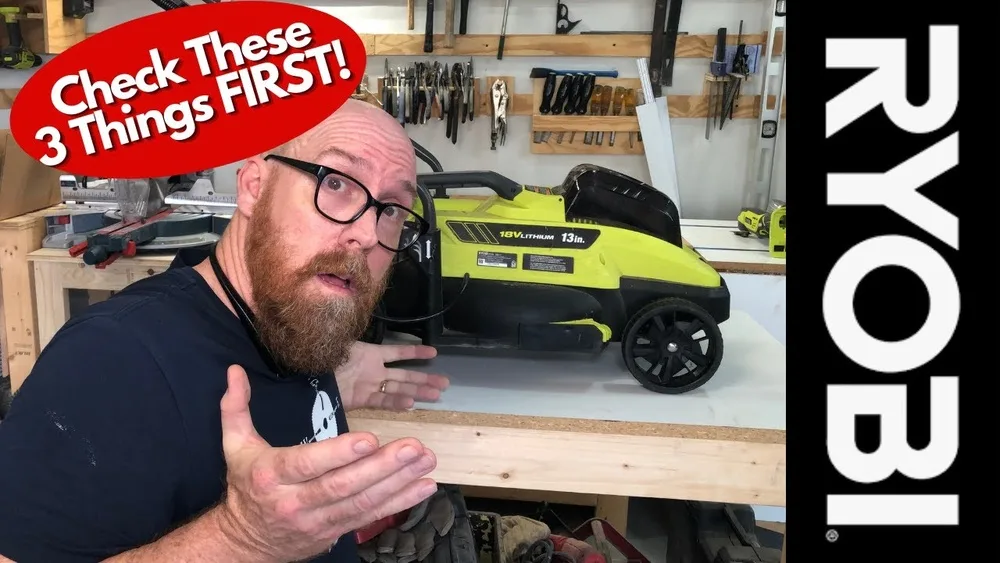
Have you ever pulled your Ryobi lawn mower from the shed on a sunny morning, ready to cut the grass, but it just won’t start? I know that feeling all too well. Not long ago, I was in your shoes, standing in my yard, frustrated and a little lost.
My Ryobi mower had served me well, but suddenly, it refused to come alive. I had to roll up my sleeves and figure things out the hard way. I learned a lot, made a few mistakes, and found solutions that might help you too.
Let me share everything I discovered, step by step, so you can get your Ryobi mower running again without all the stress.
Common Reasons Why A Ryobi Lawn Mower Won’t Start
When my Ryobi mower stopped working, I realized there are a few main reasons why this happens. Some problems are simple, while others need a bit more effort.
1. Dead Or Weak Battery
Most Ryobi mowers are battery-powered. If the battery is low or dead, the mower won’t even try to start. Sometimes, the charger light is green, but the battery still won’t work because it’s old or damaged. I once left my battery in the shed during winter, and it lost its power much faster.
2. Loose Or Dirty Battery Connections
Even with a good battery, dirty or loose contacts can stop your mower from starting. I once found grass clippings and dirt around the battery terminals. A quick cleaning with a dry cloth made all the difference.
3. Faulty Safety Switch Or Handle
Ryobi mowers have a safety handle or lever you must hold down. If the safety switch under the handle isn’t pressed, the mower won’t start. Sometimes, the cable connecting the handle can become loose or damaged. I had to tighten mine once after it popped out of place.
4. Old Or Damaged Blades
Surprisingly, dull or bent blades can stop the mower. If the blade gets stuck, the motor won’t turn. I remember hearing a strange sound before my mower stopped. When I checked, a stick was jammed in the blade.
5. Overheated Motor
If you mow thick, wet grass, the motor can get too hot. My mower shut off suddenly once, and I learned that Ryobi mowers have a thermal cut-off. Letting it cool for 30 minutes fixed the problem.
6. Clogged Grass Bag Or Deck
A full grass bag or clogged deck can block the blade and stress the motor. Once, after mowing damp grass, I found a soggy clump stuck under the deck. Clearing it out got my mower running smoothly again.
7. Faulty Start Button Or Key
Some Ryobi models use a start button or a removable key. If these parts are broken or not seated well, nothing happens when you try to start the mower. I once forgot to insert the safety key—simple, but easy to overlook.
8. Issues With The Charger
If the charger isn’t working, your battery won’t charge. I once plugged my charger into a faulty outlet and wasted hours before I realized it wasn’t charging at all.
Troubleshooting Steps I Used (and You Can Too)
I want to walk you through the exact steps I followed to fix my Ryobi mower. These steps helped me find the real problem instead of guessing.
Step 1: Check The Battery
- Remove the battery from the mower.
- Press the button on the battery to see the charge level. If there’s no light, it’s likely dead.
- Insert the battery into the charger. Make sure the charger light turns on.
- Wait until it’s fully charged. If the light blinks red, the battery could be faulty.
Pro tip: Try a different Ryobi battery if you have one. Sometimes the battery is the only issue.
Step 2: Inspect Battery And Mower Contacts
- Look at the metal terminals on both the battery and inside the mower.
- Wipe off any dirt or grass.
- Push the battery in firmly until you hear a click.
I once spent 20 minutes troubleshooting, only to realize the battery wasn’t fully clicked in.
Step 3: Test The Safety Handle Or Lever
- Hold the handle down as you try to start the mower.
- Listen for a click or feel for resistance.
- If it feels loose, check the cable under the handle and tighten it if needed.
This safety feature is easy to forget, but it’s a common reason for starting problems.
Step 4: Check For Blockages
- Turn the mower on its side (battery removed! ).
- Look for grass, sticks, or debris stuck under the deck or in the blade.
- Clear everything out, then try again.
Never skip this step. Blockages can stop the blade and prevent the motor from running.
Step 5: Inspect The Blade
- Look at the blade for bends or signs of damage.
- Try spinning the blade by hand (wear gloves).
- If it’s stiff or stuck, clean or replace the blade.
If you replace the blade, always use a genuine Ryobi part.
Step 6: Let The Mower Cool Down
- If your mower stopped after a long session, let it rest for 30 minutes.
- Try starting again when it’s cool.
Overheating is common, especially in summer or with tall grass.
Step 7: Check The Start Button Or Key
- Make sure the key is inserted all the way.
- Press the start button firmly.
- If the button feels stuck, spray a little electronic cleaner.
It’s easy to forget the safety key, especially if you share your mower with family members.
Step 8: Test The Charger And Power Outlet
- Unplug the charger and plug it into a different outlet.
- Look for a green light when charging.
- If the charger gets hot or makes noise, replace it.
Chargers can fail quietly, so don’t overlook this step.

Comparing Ryobi Battery Issues With Other Brands
I’ve used other brands too, like Greenworks and Black+Decker. Here’s how Ryobi battery problems stack up:
| Brand | Battery Life (Approx.) | Common Battery Issues |
|---|---|---|
| Ryobi | 30-45 mins | Loose contacts, cold weather drain |
| Greenworks | 40-50 mins | Charger errors, battery swelling |
| Black+Decker | 25-35 mins | Quick power loss, hard to find replacements |
I noticed Ryobi batteries are pretty reliable if you care for them. But if you leave them in the cold or wet, they lose power much faster.
How I Keep My Ryobi Mower In Top Shape
It took some trial and error, but now I follow a few simple habits to avoid problems:
- Charge the battery after every use, but don’t leave it on the charger overnight.
- Store the battery indoors, away from heat or freezing cold.
- Clean the mower deck after every mow to keep it running smoothly.
- Check the blade every few weeks and sharpen or replace if needed.
These small actions have saved me from so much frustration.
When To Replace Parts (my Experience)
Some parts just wear out over time, even if you take good care of your mower. Here’s when I found it best to replace things:
| Part | When to Replace | Signs of Failure |
|---|---|---|
| Battery | Every 3-5 years | Won’t hold charge, no lights |
| Blade | Every 1-2 seasons | Bent, dull, noisy |
| Safety Switch | When loose or broken | Mower won’t start, handle feels loose |
| Charger | If not charging | No light, gets hot, buzzing |
I learned to buy spare parts before I needed them, especially batteries and blades.
Two Surprising Problems I Faced
Here are two things I didn’t expect when my mower wouldn’t start:
- Low voltage at home outlets: One time, my battery charger acted strange. It turns out the outdoor outlet wasn’t delivering full power. I fixed it by using an indoor outlet.
- Hidden moisture: Even when my mower looked dry, moisture under the battery compartment caused trouble. I now wipe it with a dry cloth after each mow, especially after rain.
These are things people usually don’t think about, but they can stop your mower cold.
What To Avoid (mistakes I Made)
- Don’t leave batteries in the mower over winter. Cold kills battery life fast.
- Don’t mow wet grass if you can avoid it. Wet grass clogs the deck and stresses the motor.
- Don’t force the start button. If it doesn’t start, check for real problems first.
I made all these mistakes, and they cost me time and money.
When To Call For Help
If you’ve tried all these steps and your Ryobi mower still won’t start, it might be time to call a pro. Some electrical problems need a skilled technician. I once tried fixing a wiring issue myself and only made things worse.
If your mower is under warranty, contact Ryobi support or take it to an approved service center.
For more details, you can also check the official Ryobi Tools website for troubleshooting guides and support.
Frequently Asked Questions
Why Does My Ryobi Mower Just Click And Not Start?
A clicking sound usually means there’s power, but the blade is stuck or there’s a blockage. Remove the battery and check under the deck for debris or a jammed blade.
How Long Does A Ryobi Mower Battery Last?
Most Ryobi batteries last 3 to 5 years with regular use. Each charge gives you about 30 to 45 minutes of mowing time, depending on grass height and thickness.
Can I Use A Different Brand’s Battery In My Ryobi Mower?
No, only Ryobi batteries fit and work safely in Ryobi mowers. Using a different brand can damage the mower or even cause injury.
What Should I Do If My Charger Light Blinks Red?
A blinking red light means there’s an error. Remove the battery, let it cool, and try again. If it still blinks, the battery may need replacing.
Is It Safe To Wash My Ryobi Mower With Water?
No, avoid washing the mower with water. Instead, use a brush or dry cloth to remove grass and debris. Water can damage the electrical parts.
—
If you follow these steps and tips, I hope your Ryobi mower will be back in action soon. I know the frustration of a mower that won’t start, but with some patience and the right approach, you’ll be mowing again in no time.
Happy mowing!
As an Amazon Associate, We earn from qualifying purchases