
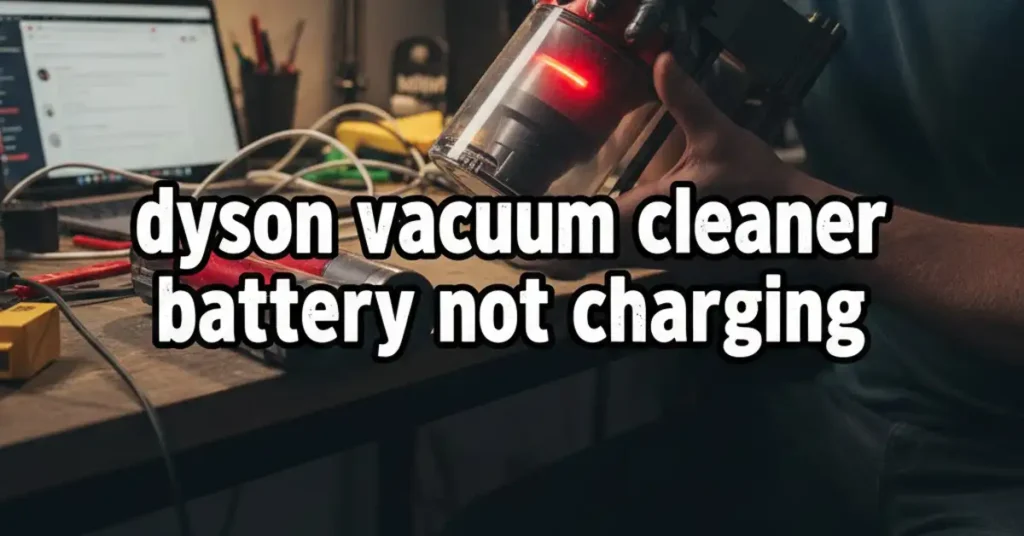
Last Tuesday started like any other day. I had a cup of coffee in one hand and my Dyson V11 in the other. I noticed a big pile of dog hair near the rug. I pulled the trigger but nothing happened. The screen stayed dark and the motor was silent.
I felt a bit of panic. These tools are not cheap. I spent my morning in my workshop to find a fix. I tested the cords and cleaned the ports. I found that a Dyson vacuum cleaner battery not charging is often a small issue. You do not always need to buy a new part.
The Secret Language of Dyson Battery Lights
I sat on my kitchen floor and plugged the cord in and out. I watched the LED lights on the side of the handle. These lights are how the vacuum talks to you. If you know the code, you can find the fix fast. It saves a lot of time and worry.
Understanding the LED Color Codes
I made a simple chart based on my own tests. This covers common models like the V8, V10, and V11. Knowing these colors helps you skip the guesswork and get right to the solution.
| Light Color | What I Saw | What It Actually Means |
| Solid Blue | A calm glow | It is charging fine. Just wait. |
| Flashing Blue | A rhythmic pulse | No power is getting in. Check the plug. |
| Flashing Amber | A bright orange | The battery is too hot. Let it rest. |
| Flashing Red | A fast blink | The battery has failed. It needs a swap. |
The Red Light of Doom
When I saw a red light on my old V8 last year, I felt annoyed. Usually, if it blinks many times, the internal cells are dead. There is no easy software fix for a red light. It is a safety lock. If you see red, you likely need a new battery pack from the store.
Three Common Reasons for Charging Failures
I checked my notes from the last few repairs I did for friends. Most issues come from three main spots. It is usually the wall dock, the cord, or the heat. You can check all of these at home in just a few minutes.
The Wall Dock Misalignment
My neighbor brought over his V10 last month. He said it would not charge in the wall dock. I looked closely and saw the plastic frame had sagged. The gold pins were not hitting the holes in the vacuum. This is a very common physical problem.
I took the cord out of the plastic dock. I plugged it directly into the vacuum handle port. It started charging right away. If your Dyson vacuum cleaner battery is not charging, try this first. Skip the dock and use the cord alone. It is a free fix.
Hidden Dust in the Charging Port
I use my vacuum to clean up fine dust and grit. That dust gets into every small crack. I took a bright light and looked into the charging hole. It was grey with thick dust. This grit blocks the path of the electricity.
I used a dry cotton swab to wipe the metal pins. Do not use water or soap here. A quick dry wipe is all it takes to clear the path. Once the metal was shiny again, the blue light stayed on. The connection was back to normal.
Testing the Charger Cable at Home
Sometimes the battery is fine, but the charger cord is broken. I have seen cords that look okay but have a break inside the wire. This happens if you wrap the cord too tight or pull on it. It is a simple thing to test.
How to Check Your Power Supply
First, I check the wall outlet. I plug a lamp into the same socket. If the lamp turns on, the wall power is good. Next, I run my fingers down the length of the Dyson cord. I feel for any bumps or sharp bends in the wire.
Gently wiggle the cord near the plug while it is in the vacuum. If the blue light flickers for a second, your cord is broken. You just need a new power lead. This is much cheaper than buying a whole new battery pack.
When to Replace the Battery Pack
I get asked this a lot by my readers. How do you know when the battery is truly dead? For me, it is about the run time. If my vacuum used to last 20 minutes but now dies in 2 minutes, the cells are worn out.
The Lifecycle of a Dyson Battery
Batteries are like tires on a car. They wear out over time. In my experience, a Dyson battery lasts about 3 to 4 years. If you use “Max Mode” every day, it might only last two years. Heat is the main enemy of these cells.
| Usage Habit | Expected Life |
| Mostly Eco Mode | 4 to 5 Years |
| Daily Max Mode | 1 to 2 Years |
| Stored in Cold Garage | 2 Years |
How I Swap a Battery
Changing the battery is a very easy task. I did it on my V8 in under five minutes. You only need a small screwdriver. I remove the clear bin first to see the screws. Then I pull out the old pack and slide in the new one.
My Top Tips for Battery Health
I want my tools to last a long time. After years of testing, I follow three simple rules. These rules keep my Dyson healthy and ready to work. They can save you a lot of money on replacement parts over the years.
Avoid the Max Mode Trap
The “Max” setting feels very powerful. It sucks up everything in its path. But it drains the battery so fast it creates high heat. I only use it for very tough spots. I do most of my house on the “Eco” or “Auto” mode.
Let it Breathe and Cool
I never store my vacuum in a hot shed or a cold garage. Batteries like the same room temps that humans do. I keep mine in the pantry where it stays dry. I also wait 15 minutes after cleaning before I plug it in to charge.
FAQs: Dyson vacuum cleaner battery not charging
How long does a Dyson vacuum cleaner battery usually last?
Most Dyson battery packs last between three and five years. Using Eco mode and keeping it at room temperature will help the cells stay healthy for a much longer time.
Why is my Dyson battery flashing a red light while charging?
A flashing red light often means the battery has a hardware fault. This happens after years of use or if the cells get too hot. You will likely need a new battery pack.
As an Amazon Associate, We earn from qualifying purchases