
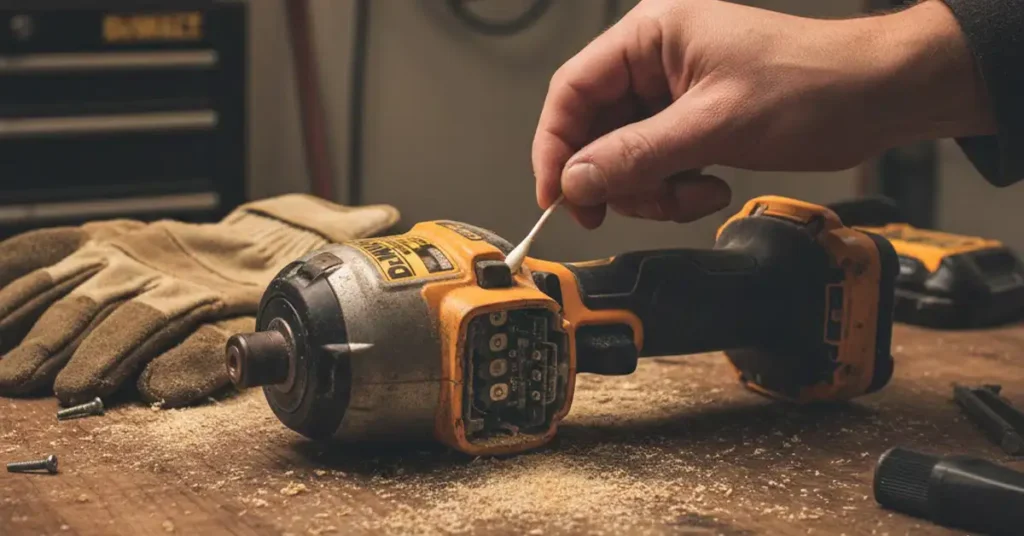
It was a hot Tuesday afternoon in my dusty garage. I was halfway through building a new cedar planter box for my porch. I pulled the trigger on my trusty DeWalt 20V impact driver, but nothing happened. No zip, no spin, and not a single screw moved an inch.

I felt that sudden pit in my stomach as I looked at the tool. Quality tools are not cheap, and I really needed to finish this job. When my DeWalt 20V impact driver stopped working, I feared the motor was dead. I could smell the fresh wood and warm grease, but the tool stayed cold and silent.
Before you toss your driver in the scrap bin, let me share my story. I spent three hours at my workbench taking things apart to find the truth. Most of the time, the fix is much easier than you might think. I want to help you save your tool and your hard-earned money today.

Quick Diagnostic Chart for Your Tool
I like to start with the easy stuff before I grab my screwdrivers. Here is a quick look at what usually goes wrong based on the signs. This table shows what I found during my own deep dive into tool repair.
| What I Saw | Likely Culprit | How Hard Is the Fix? |
| No light and no sound | Battery or metal tabs | Very Easy |
| Light is on but motor is dead | Trigger or fine dust | Easy |
| It hums but will not turn | Jammed gears or anvil | Medium |
| Sparks and a bad smell | Worn out carbon brushes | Medium |
| Tool cuts out while in use | Loose wire or bad board | Hard |
The First Culprit: The Battery and Terminal Connection
The very first thing I did was swap out the battery pack. I grabbed a 5Ah pack from my drill that I knew was full. The tool still did not budge, which told me the cells were fine. I had to look closer at where the power enters the tool.
I looked at the gold metal tabs inside the handle of the driver. They looked dull and covered in a thin layer of grey gunk. Over time, fine dust and moisture create a film that blocks the power. This small bit of dirt can make a perfectly good tool seem like junk.
Cleaning the Contact Points for Better Flow
I took a Q-tip and dipped it in some clear rubbing alcohol. I scrubbed those metal tabs until they shone like new copper pennies. I also cleaned the slots on the battery itself to be sure. A clean path for the sparks is the life of any cordless tool.
When I slid the battery back in, I noticed it felt a little loose. If the battery wobbles, the connection breaks while the tool vibrates during a tough drive. I used a small pick to gently bend the metal clips just a tiny bit. This made the fit tight and snug once again.
Why the Trigger Often Fails in Dusty Shops
If your LED light turns on but the motor stays dead, the trigger is likely the part to blame. My garage is always full of fine sawdust and drywall bits. That stuff gets into every crack and can gum up the works in a hurry.
I noticed my trigger felt a bit “crunchy” when I pressed it down. That is a huge red flag that something is stuck inside the switch. Dust blocks the signal that tells the motor to start spinning and driving screws.
The Compressed Air Trick to Clear the Path
I did not even have to open the plastic case for this quick fix. I took my air hose and blew high-pressure air into the gaps around the trigger. I did this while clicking the trigger fast to move the dust around.
A huge cloud of grey grit puffed out of the tool vents. I kept at it for about a minute until no more dust came out. When I popped the battery back in, the motor roared back to life. It was a simple fix that saved me a trip to the repair shop.
Checking the Forward and Reverse Selector Switch
This sounds too simple to be true, but it happens more than you think. I once spent ten minutes feeling mad only to find the switch was stuck. The selector bar was sitting right in the middle of the handle.
The middle position acts as a safety lock to keep the tool from firing. If it is not clicked fully to the left or right, the trigger will not move. Give it a firm push with your thumb to make sure it is in gear. You should feel a distinct click when it sets into the right spot.
Is Your Impact Driver Brushed or Brushless?
You need to know what kind of motor is inside your specific DeWalt tool. I own an older DCF885 model that uses small carbon brushes to pass power. My newer XR model is brushless and uses a computer board instead.
Replacing Carbon Brushes to Restore Power
If you have a brushed model, those little carbon blocks eventually wear down. They are made to be replaced after a few years of hard work. When mine started to fail, I saw big blue sparks through the side vents of the case.
The tool also smelled like a hot toaster and lost all its turning power. I opened the back cap and saw the brushes were worn down to tiny stubs. I bought a new set for a few dollars, and the tool felt brand new.
Dealing with Internal Mechanical Jams
Sometimes the wires are fine, but the heavy metal parts are stuck. If you hear a humming sound or a single click, but the bit will not spin, you have a jam. This usually happens when the internal grease gets old or cold.
Unsticking the Heavy Metal Anvil
Impact drivers use a heavy hammer and anvil system to hit the screw hard. I found that a gentle tap with a rubber mallet can sometimes free the parts. Hit the side of the metal nose cone while pulling the trigger to shake things loose.
If that does not work, you may need to open the front end of the tool. You can wipe away the old, dry grease and add a fresh dab of white lithium grease. This keeps the hammer moving fast so it can hit with full force.
When the Electronic Control Board Fails
In my newer brushless tools, there is a small computer board called a MOSFET. This part is the “brain” that tells the motor how fast to spin. If this part dies, the tool is usually toast unless you have a warranty.
I once pushed my driver too hard while sinking bolts into thick oak beams. The tool got very hot to the touch, and then it just quit on me. I opened it up and saw a black, charred spot on the green circuit board.
How to Check Your Tool Warranty
DeWalt tools usually come with a three-year limited warranty from the date you bought them. If you see melted plastic or burnt wires inside, do not try to fix it yourself. Take it to a pro or send it back to the factory for a free fix.
Common Problems by Model Number
Not all DeWalt tools are built in the exact same way. Here is a breakdown of what I have seen with the most popular models. This should help you find the weak spot for the tool sitting on your bench right now.
| Model Number | Common Weak Point | My Personal Notes |
| DCF885 | Carbon Brushes | This one is a tank but needs new brushes. |
| DCF887 | Trigger Switch | Very strong but hates fine drywall dust. |
| DCF850 | Heat Build-up | Tiny and great, but it gets hot very fast. |
| DCF888 | Bluetooth Chip | The smart features can glitch and lock it. |
Tips to Keep Your Tool Running for Years
After fixing my driver, I changed how I take care of my gear. I want my tools to last a long time, not just for one project. A little bit of love goes a long way with these high-power machines.
You should blow out the vents with air once every week to keep it clean. Never leave your batteries in a cold or damp shed during the winter. If the tool starts to smoke, stop what you are doing and let it cool down.
Final Thoughts on Fixing Your Gear
When my DeWalt 20V impact driver stopped working, I was very frustrated. But taking it apart taught me that I could fix things on my own. Most of the time, it just needs a quick clean or a new set of cheap brushes.
If you are looking at a dead tool right now, please start with the battery. Clean those metal tabs and blow out the dust from the trigger area. You might just save a hundred dollars and get back to your project in no time.
FAQs: DeWalt 20V Impact Driver Stopped Working
Why did my DeWalt 20V impact driver stop working suddenly?
Most times, fine dust gets stuck inside the trigger switch. Use a can of compressed air to blow out the gaps. This often clears the path and lets the motor spin again.
Can a bad battery make my DeWalt impact driver feel weak?
Yes, old batteries lose the ability to hold a deep charge over time. Try a fresh 20V Max pack to see if the torque returns. Clean the metal tabs to ensure a solid power flow.
How do I know if my DeWalt driver needs new carbon brushes?
Look for bright blue sparks or a burnt smell coming from the side vents. If the tool starts and stops, the brushes are likely worn down. Replacing them is a cheap way to save the tool.
Will cold garage storage hurt my DeWalt 20V lithium batteries?
Extreme cold can slow down the chemical reaction inside your battery cells. It is best to store them in a dry, room-temp space. This keeps the power steady and helps the battery last for years.
As an Amazon Associate, We earn from qualifying purchases